Troubleshooting ActiveX Components Warning
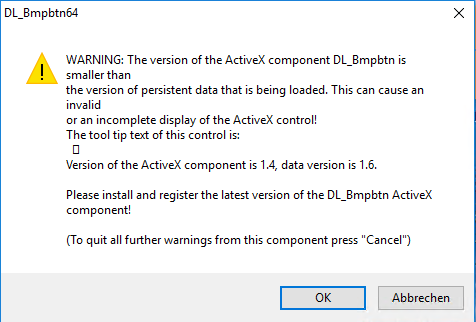
Steps to resolve the DL_Bmpbtn64 warning when starting the program by deleting certain OCX files.
The description explains how to resolve a DL_Bmpbtn64 warning when starting the program. It includes deleting certain ActiveX OCX files from the folder “C:Program FilesCommon FilesDlubal”. Afterwards, the program should be reinstalled. This requires administrator rights. The goal is to avoid conflicts caused by outdated components.