2026-11-13
028075
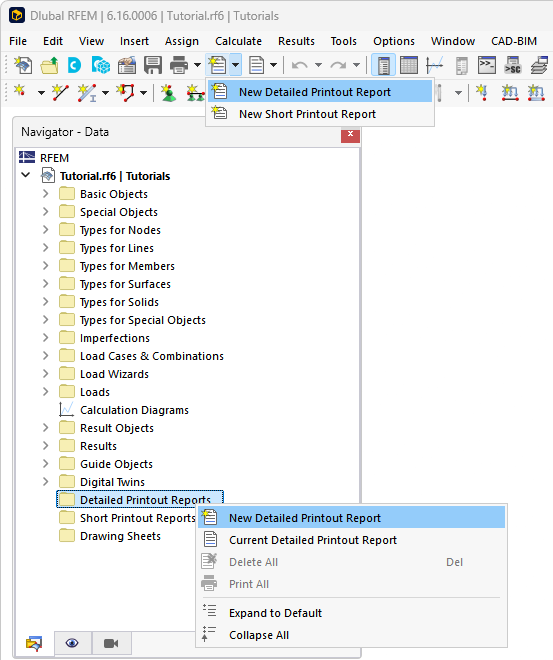
Button 'New Detailed Printout Report' and Shortcut Menu
Button 'New detailed printout report' and shortcut menu
The image shows the user interface of RFEM 6 with the tutorial file 'Tutorial.rf6'. In the 'Insert' menu, the option 'New detailed printout report' is selected, additionally there is the choice 'New short printout report'. In the 'Data' navigator, the 'Detailed Printout Reports' folder is marked, whose shortcut menu offers entries such as 'New Detailed Printout Report', 'Update Current Detailed Printout Report', 'Delete All', 'Print All', 'Expand to Standard' and 'Collapse All'. Detailed printout reports allow calculation results and model information to be compiled selectively and in a structured manner as printed documentation.