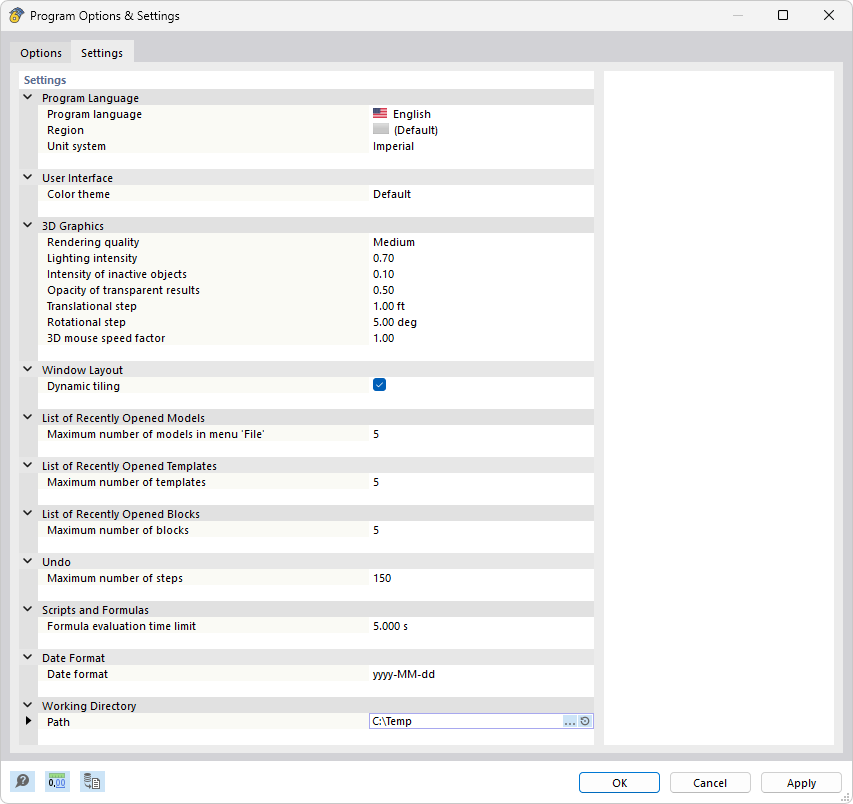
Tab "Settings"
The dialog box shows the "Settings" tab of the program options, which includes numerous customizable options for the program language, region, and unit system. In the 3D Graphics section, you can set the rendering quality to Medium, the lighting intensity to 0.75, the intensity of inactive objects to 0.30, and the opacity of transparent results to 0.50. Additional settings include the maximum number of recently opened models (4), templates (5), blocks (5), and steps for the Undo feature (150). Here, you can also check the working directory and adjust it if necessary.