2026-10-02
046318
Modeling Tools in "Tools" Menu and Buttons in CAD Toolbar
Modeling tools in the "Tools" menu and buttons in the CAD toolbar
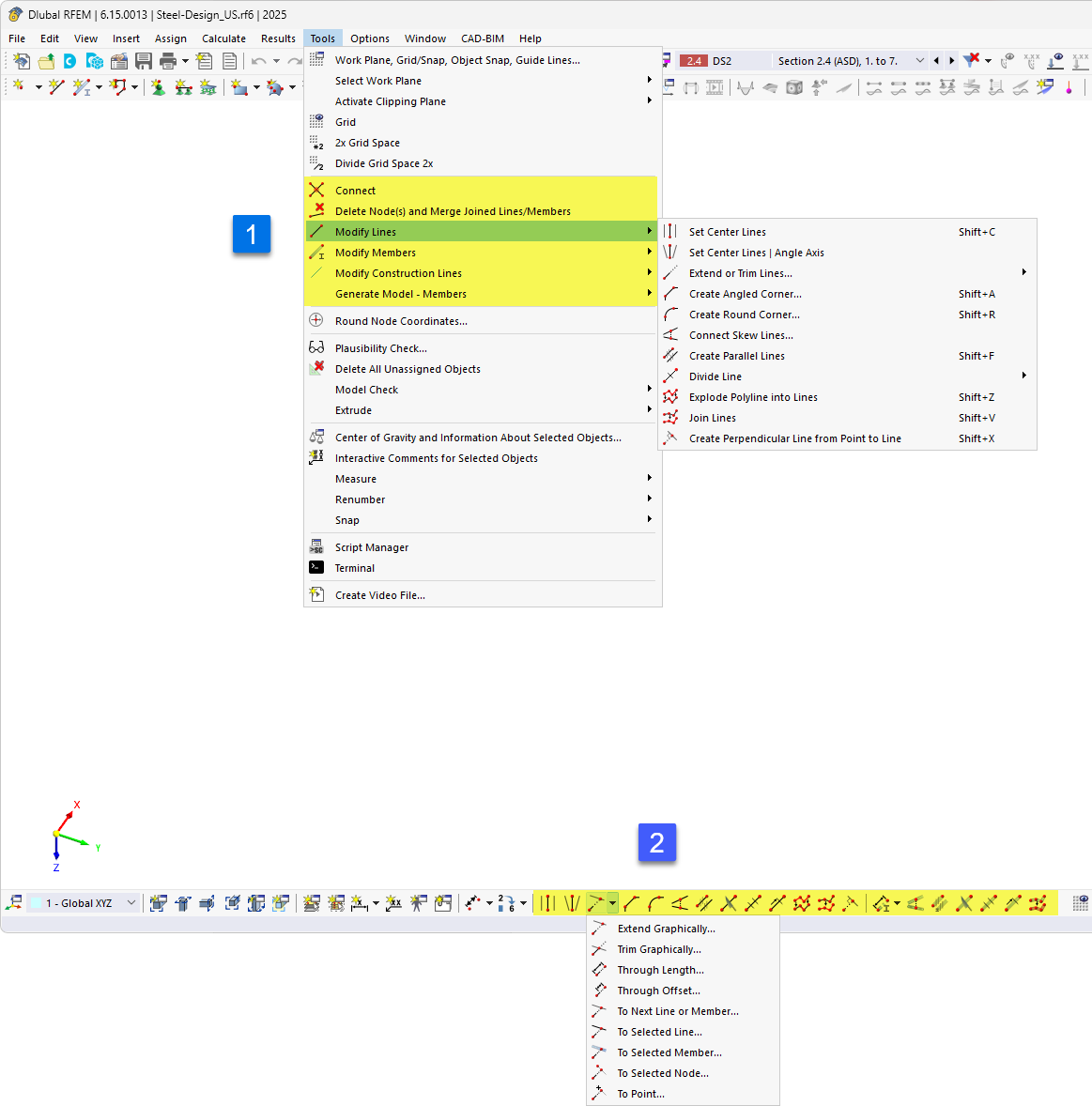
The image shows the "Tools" menu in Dlubal software, with the "Connect," "Modify Lines," and "Modify Members" sections highlighted. The open “Modify Lines” submenu provides features such as “Set Center Lines,” “Set Center Lines | Angular Axis,” “Extend or Trim Lines,” “Create Angled Corner,” “Round Corner,” “Create Parallel Lines,” “Divide Lines,” “Explode Polyline into Lines,” and “Create Perpendicular from Point to Line.” Below that, the image shows the CAD toolbar with an open drop-down menu for dividing lines, which contains options such as "By Length", "By Ratio", and dividing at the next line, a selected member, node, or point.