2024-05-30
047236
Full Material and Cross-Section Description
Full material and cross-section description
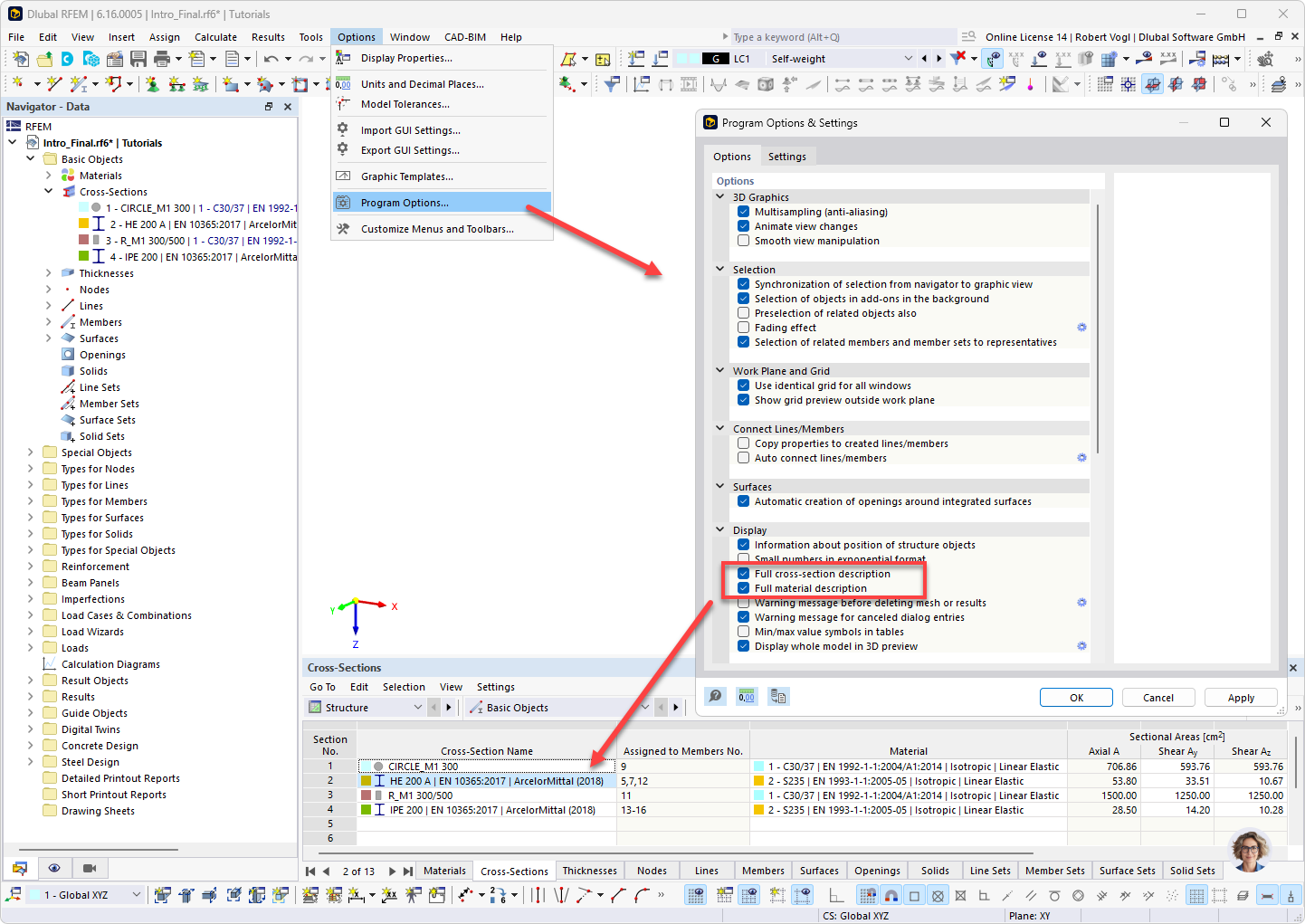
In RFEM 6, the Options menu is open and the Program Options entry is highlighted. In the Program Options and Settings dialog box, the Full Cross-Section Description and Full Material Designation check boxes are activated in the Display section. The complete designations are then shown in the Materials table.