2025-03-05
055660
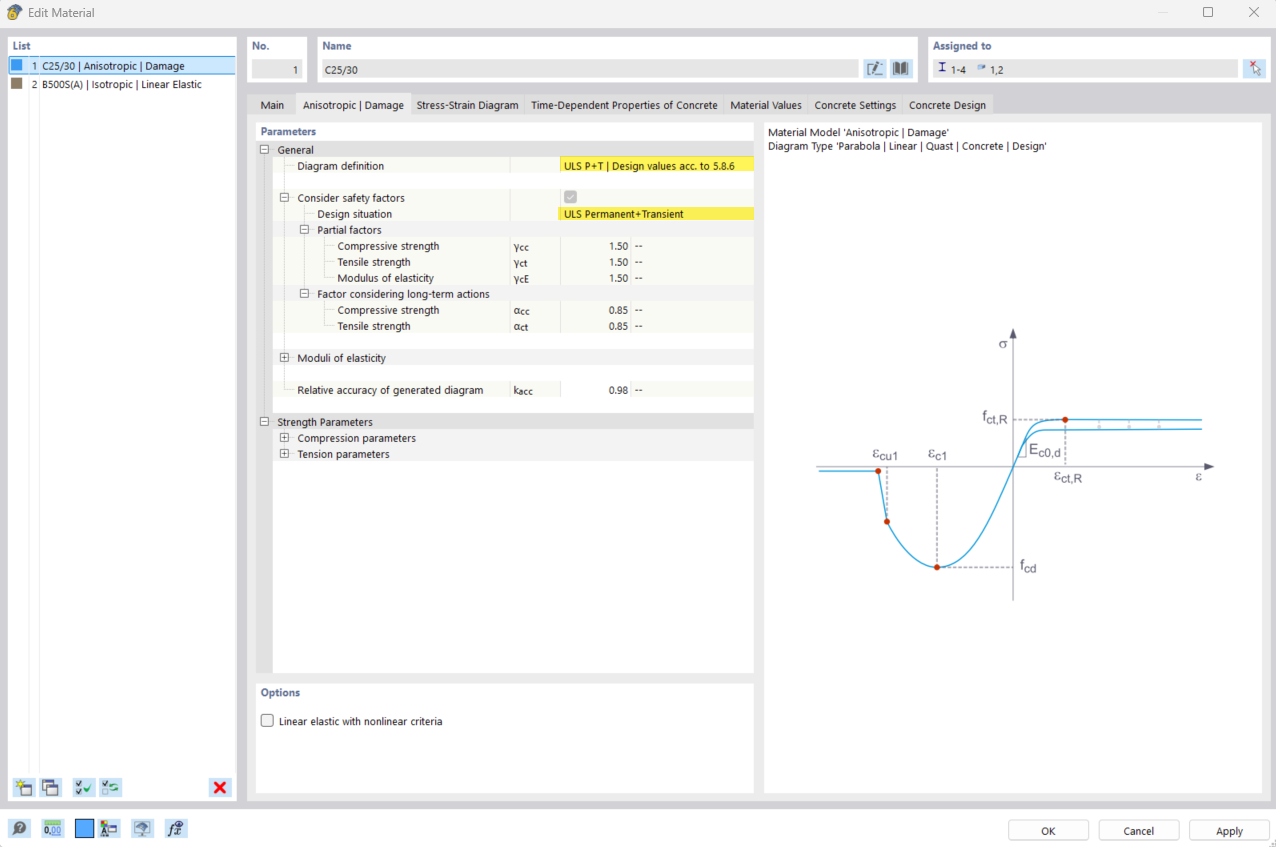
Image 1/2: Input Dialog Box for Concrete Material Model "Anisotropic | Damage" with Diagram Definition "ULS P+T | Design Values"
The input dialog box of the concrete material model Anisotropic | Damage shows the selection ULS P+T | Design Values for the diagram definition.
The dialog box displays input boxes for defining the concrete material model Anisotropic | Damage. The ULS P+T | Design Values option is selected for the diagram definition. The interface allows for the input of specific material parameters and provides clear selection options.
2025-03-05
055661
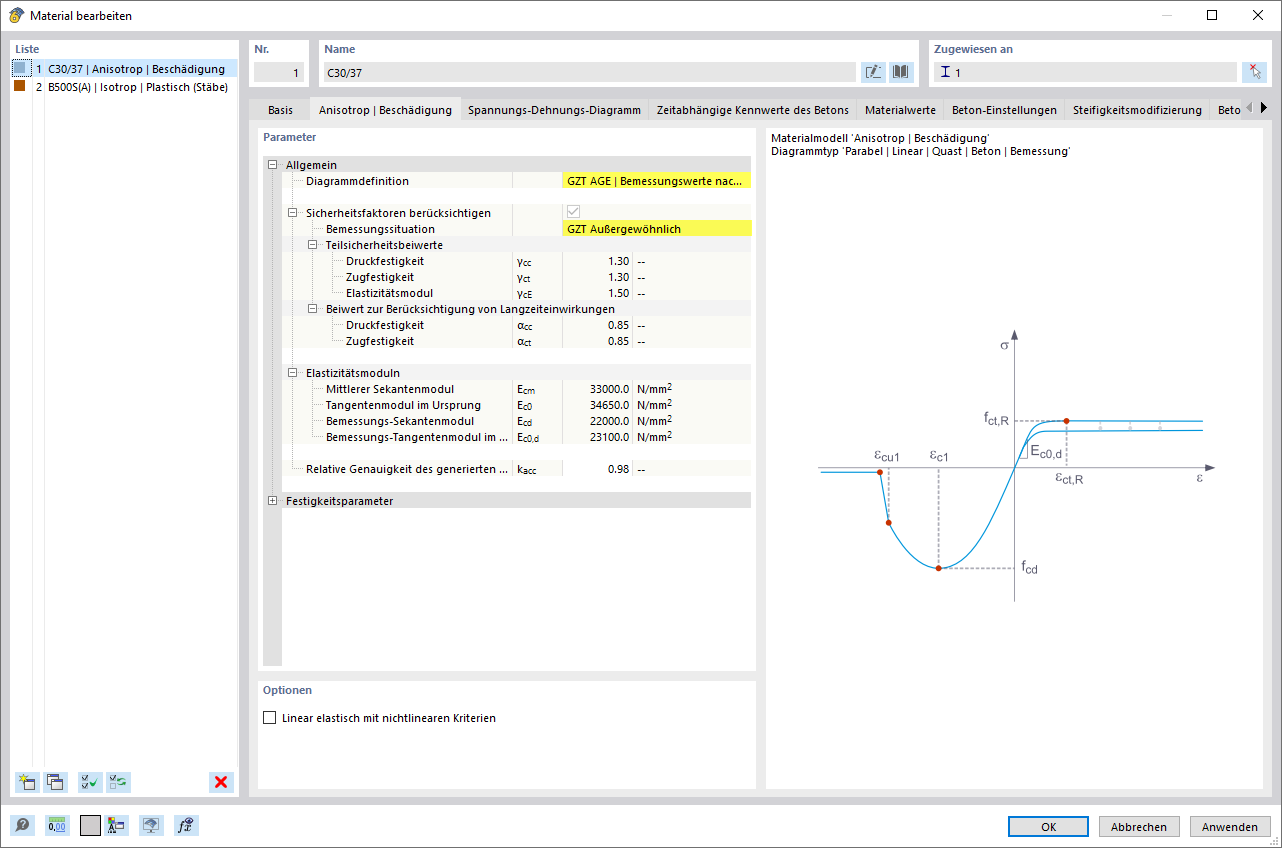
Image 2/2: Input Dialog Box for Concrete Material Model "Anisotropic | Damage" with Diagram Definition "ULS AGE | Design Values"
The image shows the input dialog box for defining the concrete material model “Anisotropic | Damage”, where “ULS AGE | Design Values” was selected as the diagram definition.
The image shows an input dialog box for configuring the “Anisotropic | Damage” concrete material model. Specific input boxes and selection options for defining the “ULS AGE | Design Values” diagram definition are displayed. All relevant parameters are clearly displayed.