
2025-03-20
055920
Input for Design Situations with Various Materials
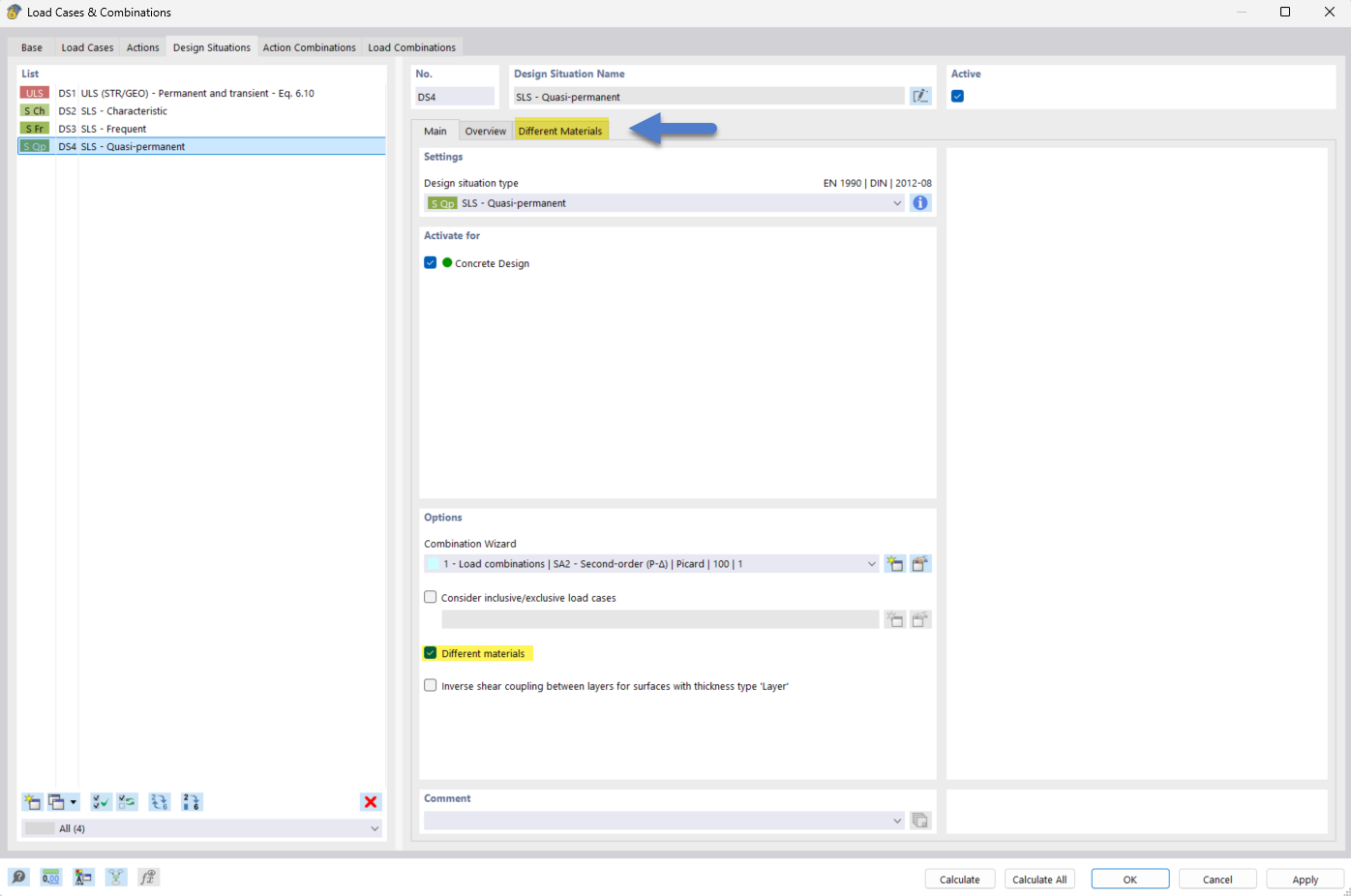
Setting for design situations in RFEM 6 with various materials activated.
The image shows the input window in RFEM 6 for defining design situations with the option for “Different Materials” selected. This allows for a precise design of structures with different material properties, resulting in an optimized structural analysis.
2025-03-20
055921
Material Assignment in Design Situation
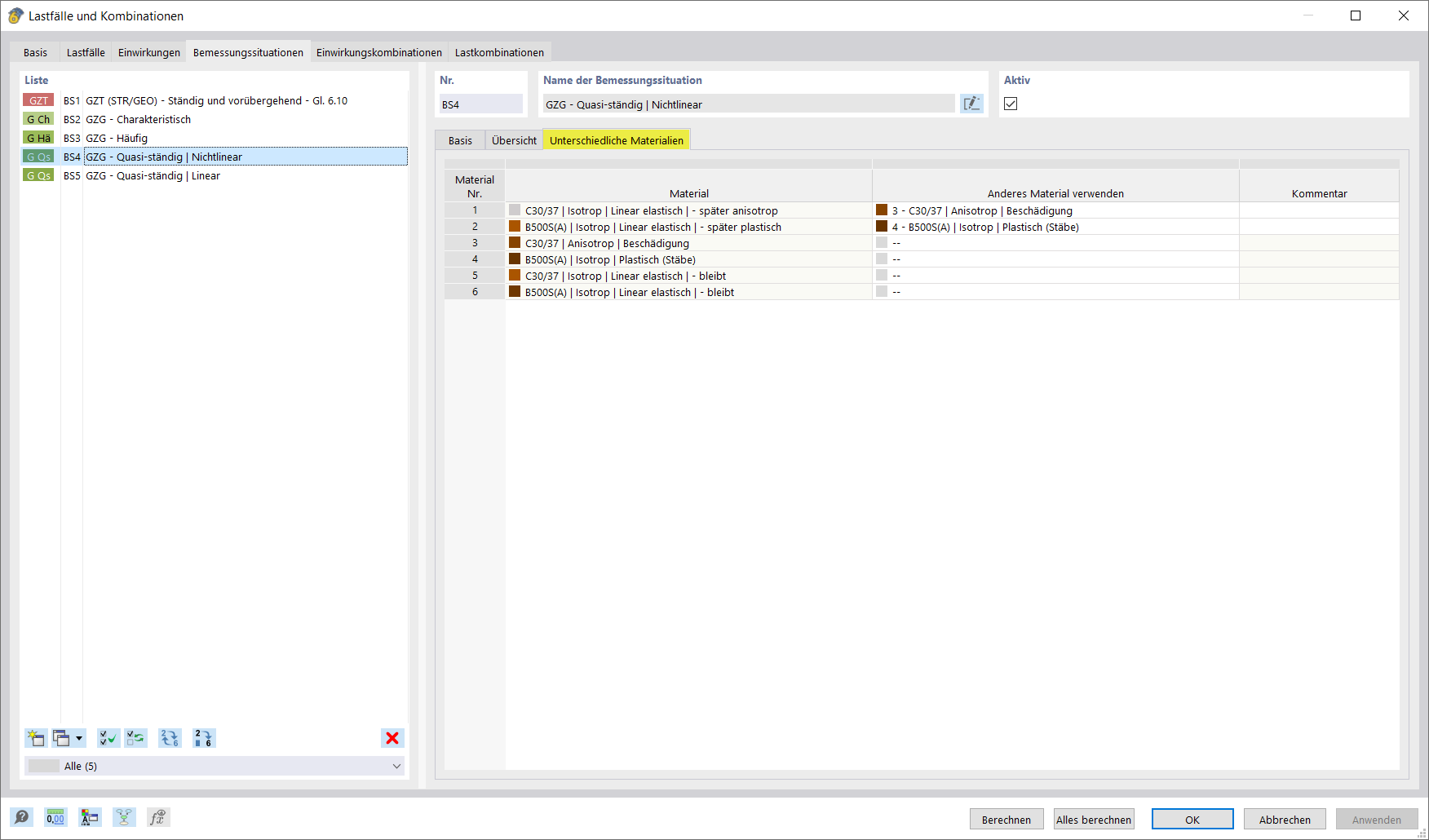
Material assignment for design situations in RFEM 6, section for different materials to define the material to be applied.
The image shows the Material Assignment for Design Situations section in RFEM 6, where you define which material is used in the current design situation. This section belongs to the “Different Materials” category, which allows for defining and applying specific material properties for the analysis. The image is a display of the user interface where the user can see the options for selecting materials.