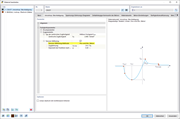
Input dialog box for material model anisotropy in concrete with tension stiffening method options.
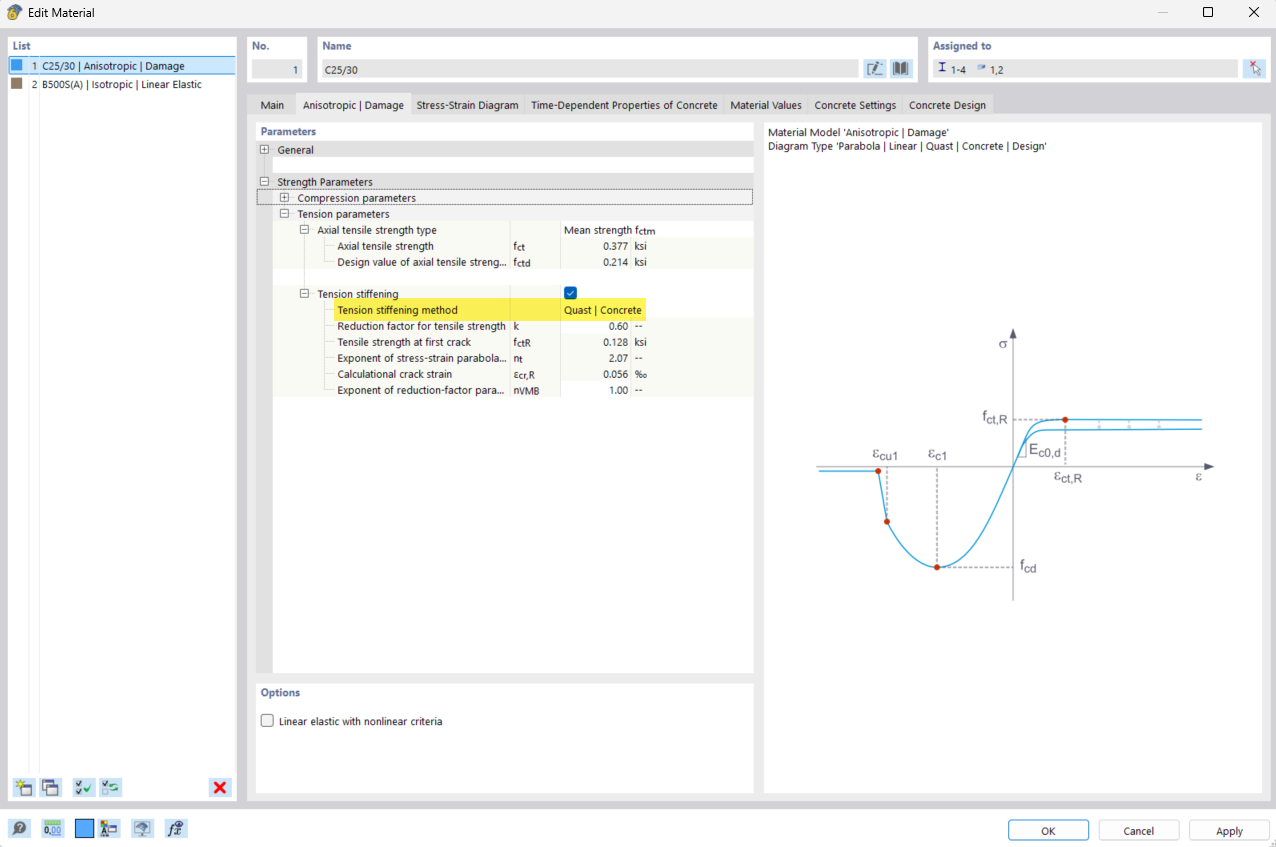
Input screen for the material model Anisotropic | Damage with concrete. Highlight of the “Quast modified” method for considering tension stiffening.
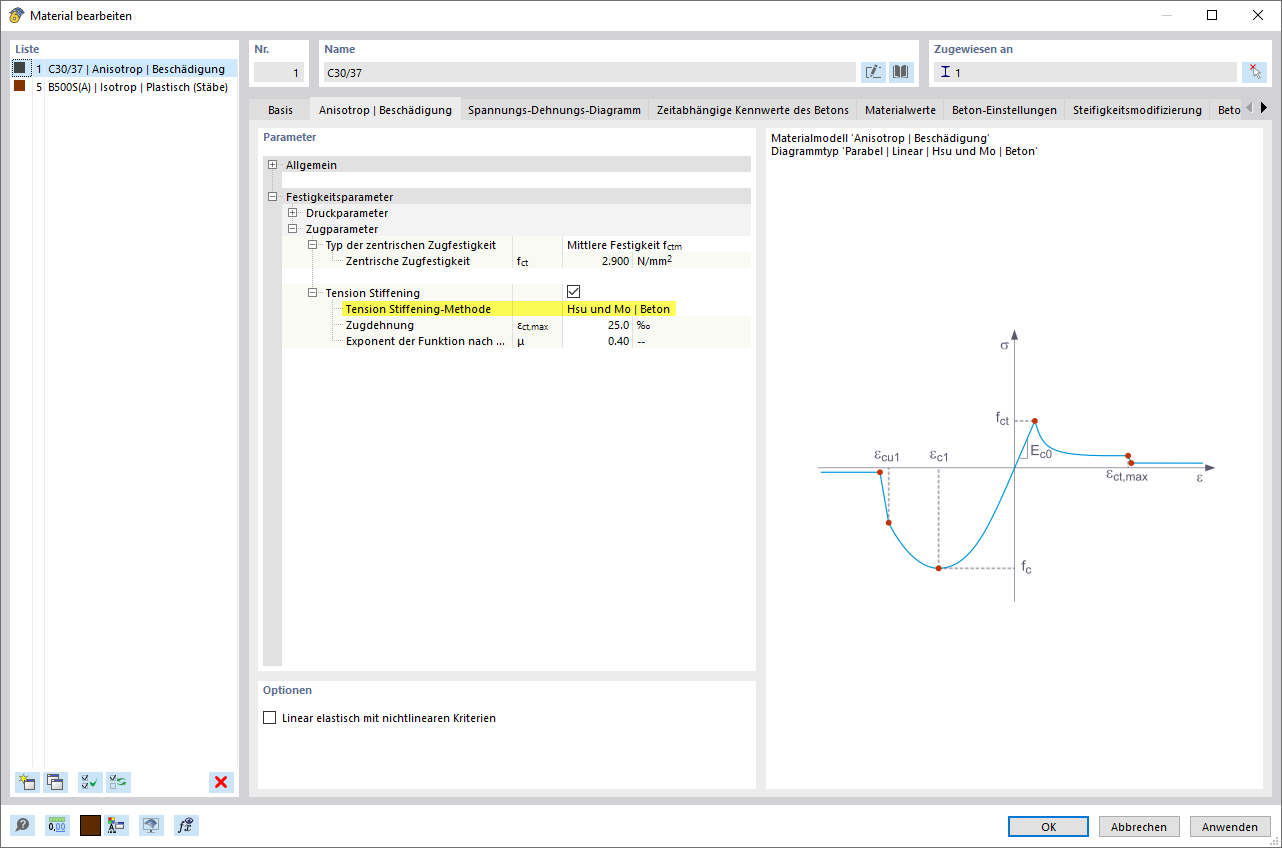
Dialog box for setting the Anisotropic | Damage material model for concrete in a software. The “Hsu and Mo” method for considering tension stiffening is highlighted.
Input dialog box for material model anisotropy in concrete with tension stiffening method options.
Input screen for the material model Anisotropic | Damage with concrete. Highlight of the “Quast modified” method for considering tension stiffening.
Dialog box for setting the Anisotropic | Damage material model for concrete in a software. The “Hsu and Mo” method for considering tension stiffening is highlighted.
2025-05-06
056602
  • RFEM 6
  • Concrete Design for RFEM 6
  • Concrete Design for RSTAB 9
    • RSTAB 9
    • Concrete Structures
    • Structural Analysis & Design
    • Finite Element Analysis
    • Nonlinear Analysis

Material Model Anisotropy Settings for Concrete

Input dialog box for material model anisotropy in concrete with tension stiffening method options.

The input dialog box shows specific settings for the “Anisotropy | Damage” material model in concrete. The options for selecting the method for considering tension stiffening are clearly displayed and highlighted. This dialog box is part of the comprehensive parametric input options for material properties in engineering applications.
  • Material model
  • Concrete
  • Anisotropy
  • Tension stiffening
  • Input dialog box
Share
2025-05-06
056603
  • RFEM 6
  • Concrete Design for RFEM 6
  • Concrete Design for RSTAB 9
    • RSTAB 9
    • Concrete Structures
    • Structural Analysis & Design
    • Finite Element Analysis
    • Nonlinear Analysis
Input Dialog Box of Material Model for Concrete
Input screen for the material model Anisotropic | Damage with concrete. Highlight of the “Quast modified” method for considering tension stiffening.

The image shows the input dialog box for a material model for concrete that takes into account the anisotropy and damage of the material. The specified “Quast Modified” method is used to calculate tension stiffening in order to achieve more precise simulation results. The focus is on the effects of crack formation and nonlinear deformation behavior. The options provided allow detailed adjustment of the material properties.
  • Material model
  • Anisotropic
  • Concrete
  • Tension stiffening
  • Quast modified
  • Construction
  • Engineering
  • Software
  • Concrete mechanics
Share
2025-05-06
056604
  • RFEM 6
  • Concrete Design for RFEM 6
  • Concrete Design for RSTAB 9
    • RSTAB 9
    • Concrete Structures
    • Structural Analysis & Design
    • Finite Element Analysis
    • Nonlinear Analysis
Input Dialog Box for Anisotropy in Concrete Material
Dialog box for setting the Anisotropic | Damage material model for concrete in a software. The “Hsu and Mo” method for considering tension stiffening is highlighted.

The image shows the input dialog box for the anisotropic damage model for concrete. The “Hsu and Mo” method is selected to account for tension stiffening. This method improves the accuracy of the calculation by including the post-tensioning of the concrete tensile strength. This feature is particularly useful for realistic models of concrete structures under load. Precise input of the parameters is crucial for accurate modeling.
  • Anisotropy
  • Concrete material
  • Material model
  • Input dialog box
  • Tension stiffening
  • Hsu and Mo
  • Engineering software
Share