
2025-06-24
057469
Cutting Pattern for RFEM 6
Convert complex, curved surface geometries into planar segments with the Cutting Patterns add-on.
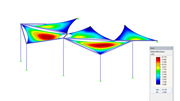
The image shows a technical display of how complex, multi-axially curved mesh surface geometries are converted into ready-to-manufacture planar segments using the Cutting Patterns add-on in RFEM 6. It describes the feature for defining cutting lines, including parallel and rotated options with the new "Multiple Cutting Line" feature. The technology includes precise control over compensation and seamless transitions between sections for high-quality results. An energy-based flattening method is used to minimize wrinkling during assembly.