2025-08-14
058389
Time Diagram Settings
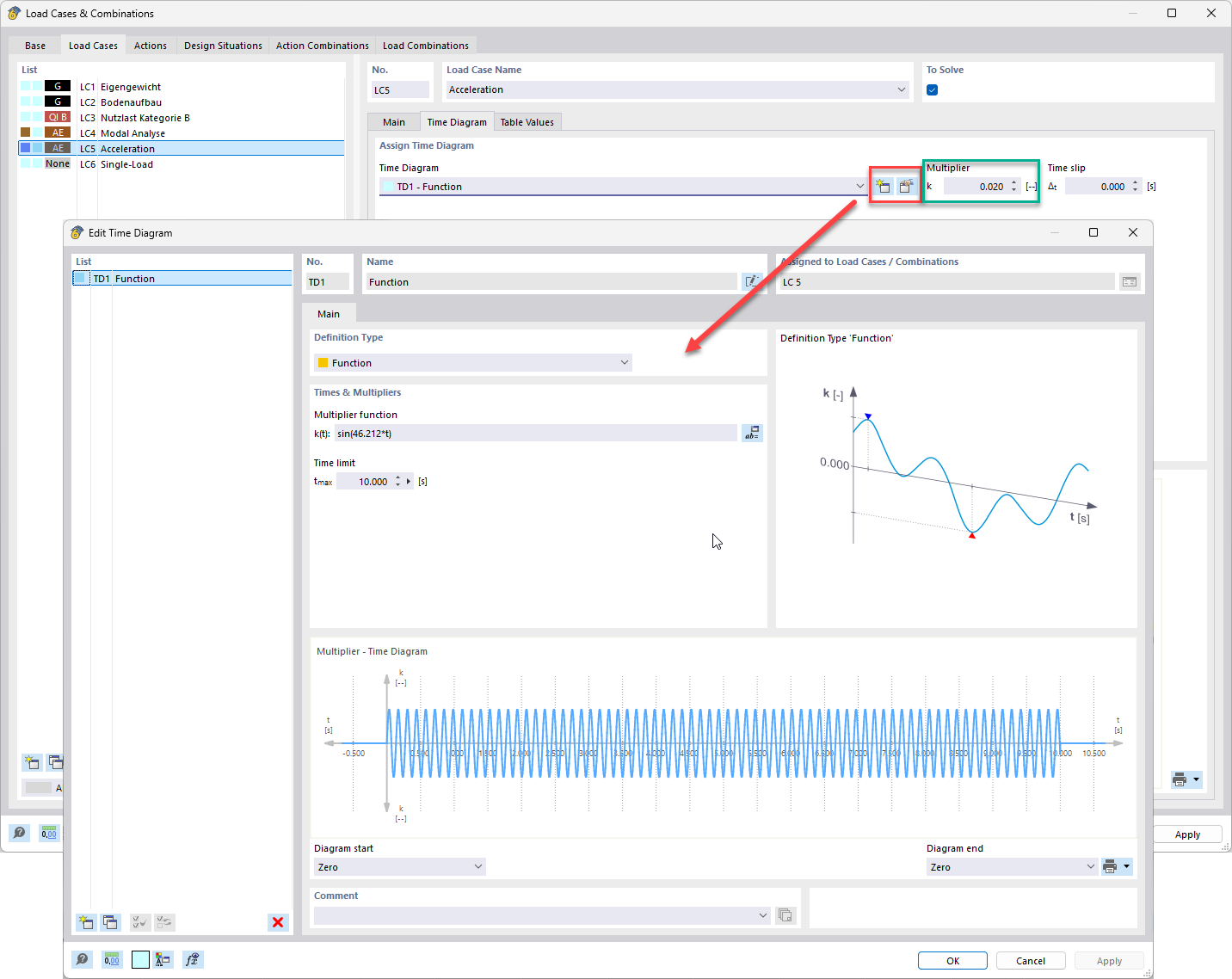
Dialog box with options for defining and editing parameters of a time diagram.
The image shows a dialog box in which settings for a time diagram can be edited. Various input boxes and options for configuring the simulated time sequences are visible. Such settings are crucial for the time-dependent analysis of structures in order to achieve accurate results in the simulation. The user interface allows for detailed adjustment of the parameter settings.