2025-12-08
060496
Soil Definition Types for Geotechnical Analysis
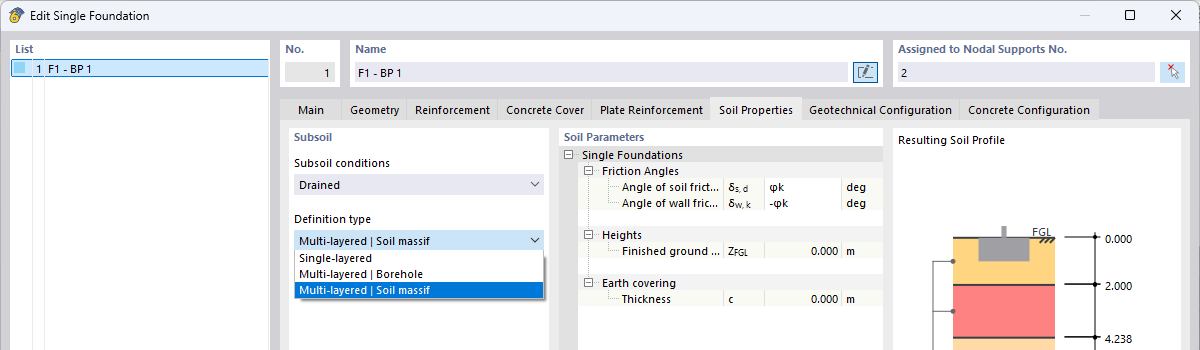
RFEM 6 dialog box for defining subsoil conditions with multi-layer soil model and resulting soil profile for foundation design
The image shows the RFEM 6 dialog box for editing a single foundation with focus on the definition of the foundation soil conditions. In the left area, you can select the definition type, including Single-Layered, Multi-Layered | Soil Massif, or Multi-Layered | Borehole. In the lower table area, the individual soil layers are displayed with material, depth and ordinate. On the right, a colored soil profile visualizes the resulting composition. These settings form the basis for geotechnical design checks, such as ground failure, settlements, as well as sliding and overturning checks.