2026-08-24
064463
Displaying Objects in Layer Colors
Displaying objects in the colors of the layers
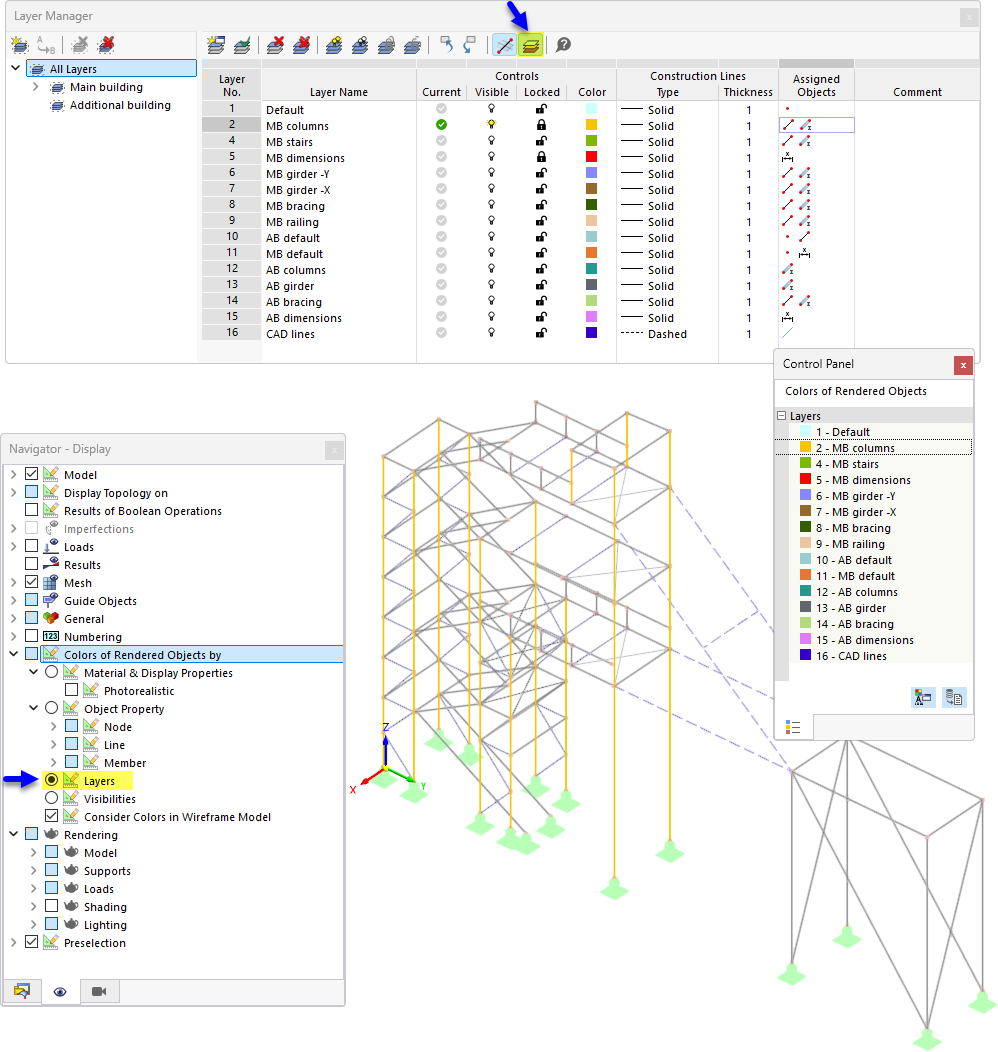
The Layer Manager shows a hierarchical structure of main and additional buildings with 16 defined layers for various structural components such as columns, beams, or dimension lines. Each layer has individual settings for visibility, lock status, and color. The Navigator allows you to control the feature that displays objects in the colors of their assigned layers. The structural model visualizes this color coding, with yellow columns colored according to their layer assignment. A separate control panel clearly lists the colors used for all rendered objects.