2026-08-25
064501
Assigning Layers to Layer Group
Assign layers to a layer group
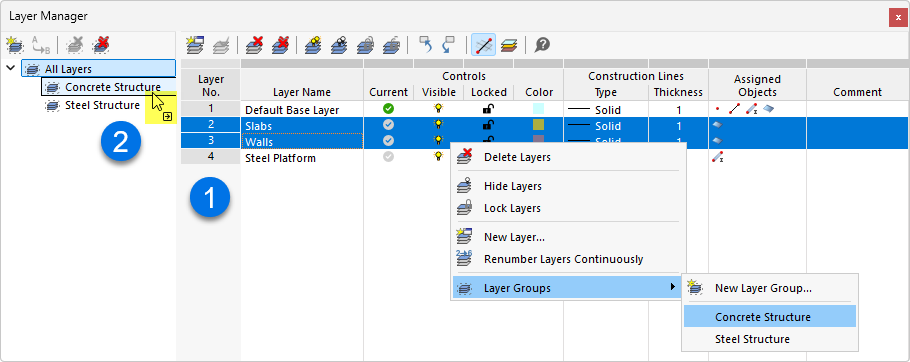
The Layer Manager shows the organization of layers into groups such as “Concrete Structure” and “Steel Structures.” Right-clicking on a layer opens the shortcut menu with the “Layer Groups” option, which allows you to assign layers directly to a group. Alternatively, you can assign layers by selecting them in the table and dragging and dropping them into the navigator. This feature allows for clear organization of model elements by material or structural component.