2026-08-25
064503
Removing Layer from Layer Group
Removing a layer from the layer group
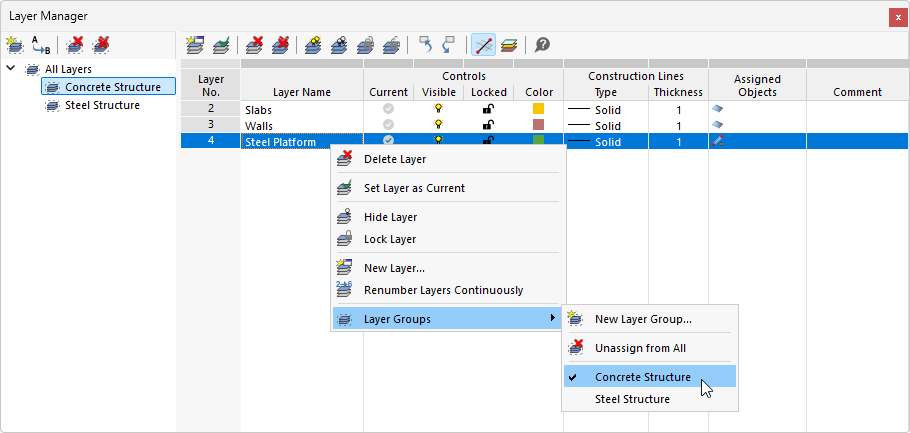
The Layer Manager shows the hierarchical structure of the “Concrete Structure” and “Steel Structures” layer groups. The table lists the properties of the individual layers, such as visibility, lock status, and color. Right-clicking on the “Steel Bridge” layer opens the shortcut menu with editing features. The “Layer Groups” submenu allows for assigning or removing the layer from a group. The checkmark next to “Concrete Structure” shows the current group membership.