2026-09-14
064778
Displaying Streamline Animation as Strips
Displaying streamlines animation as strips
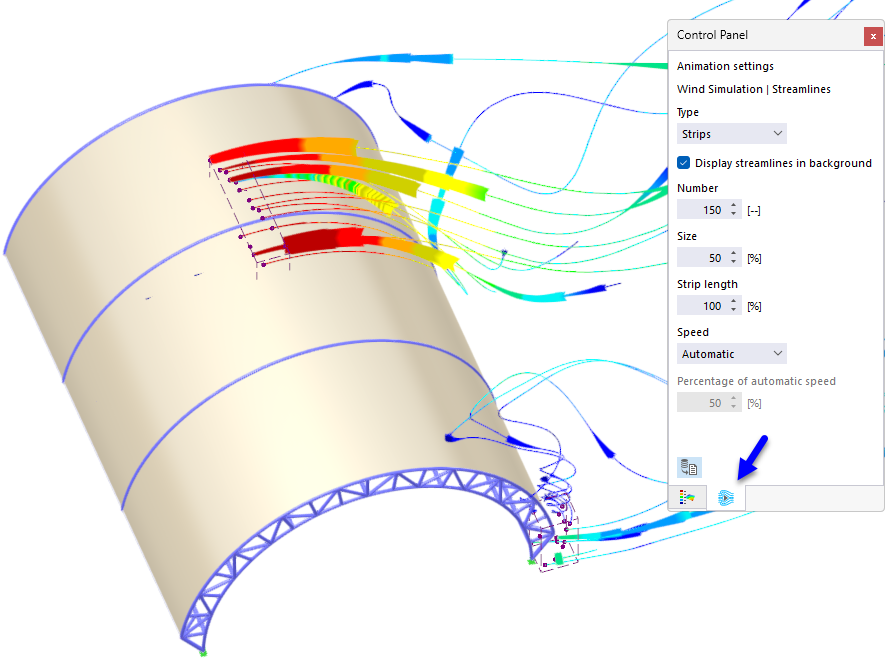
The control panel shows the animation settings for the wind simulation using the “Strips” display type. The streamlines start at seed points in the point cloud and distribute downstream over a cylindrical model with truss bracing. The color of the streaks—ranging from red to yellow to cyan—represents the local wind velocity. The settings are 150 streaks, a size of 50%, a streak length of 100%, and automatic speed.