2026-09-15
064834
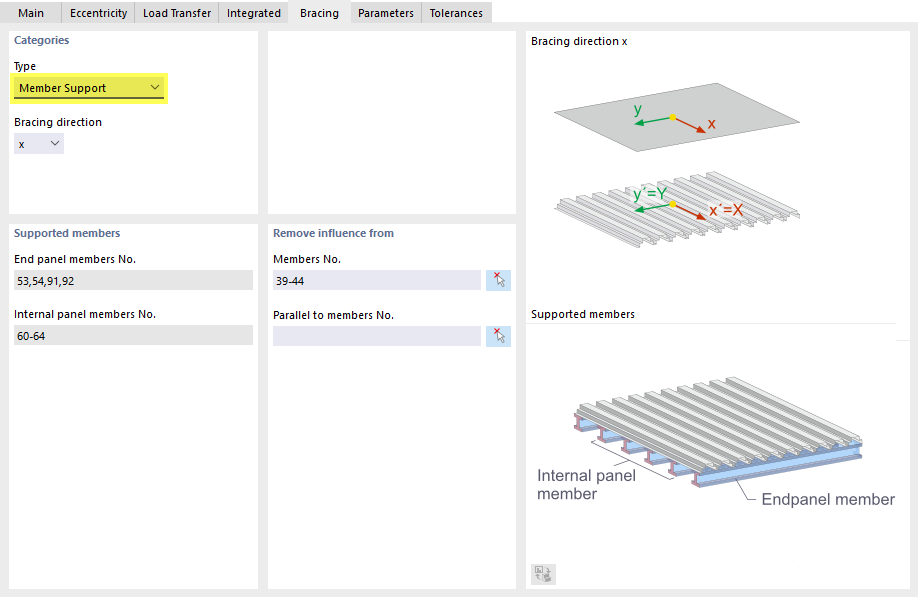
Defining Criteria of Bracing Surface: Type "Member Support"
Define criteria of the bracing surface: type "Member Support"
The dialog box for defining a bracing surface shows the “Bracing” tab with the “Type” category and the “Member Support” option. The bracing direction is set to x. Under “Supported Members,” members 53, 54, 91, and 92 are specified for the end panel, and members 60 through 64 are specified for the internal panel. The “Remove influence from” section lists members 39 through 44. Graphics illustrate the bracing direction x using local axes and show the distinction between internal panel and end panel members.