
2026-09-22
065064
Setting Construction Surface Graphically Using Button
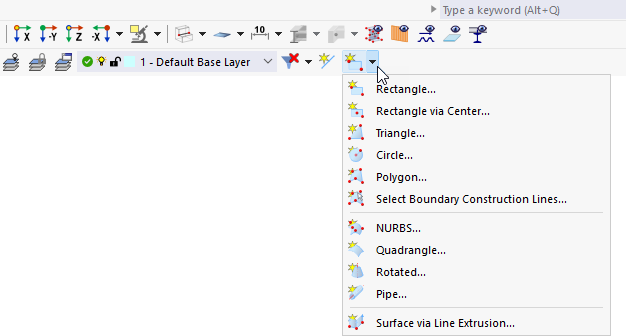
Setting a construction surface graphically using the button
The expanded drop-down menu in the toolbar shows various face types for graphically defining construction surfaces. Options include Rectangle, Rectangle via Center, Triangle, Circle, Polygon, and the selection of boundary construction lines. In addition, spatial surface types such as NURBS, Quadrangle, Rotation, Pipe, and Surface via Line Generation or Line Generation Extrusion provide advanced modeling capabilities. The construction surface can be created directly using the corresponding button in the toolbar.