2026-10-13
065300
Connecting Skew Members
Connecting skew members
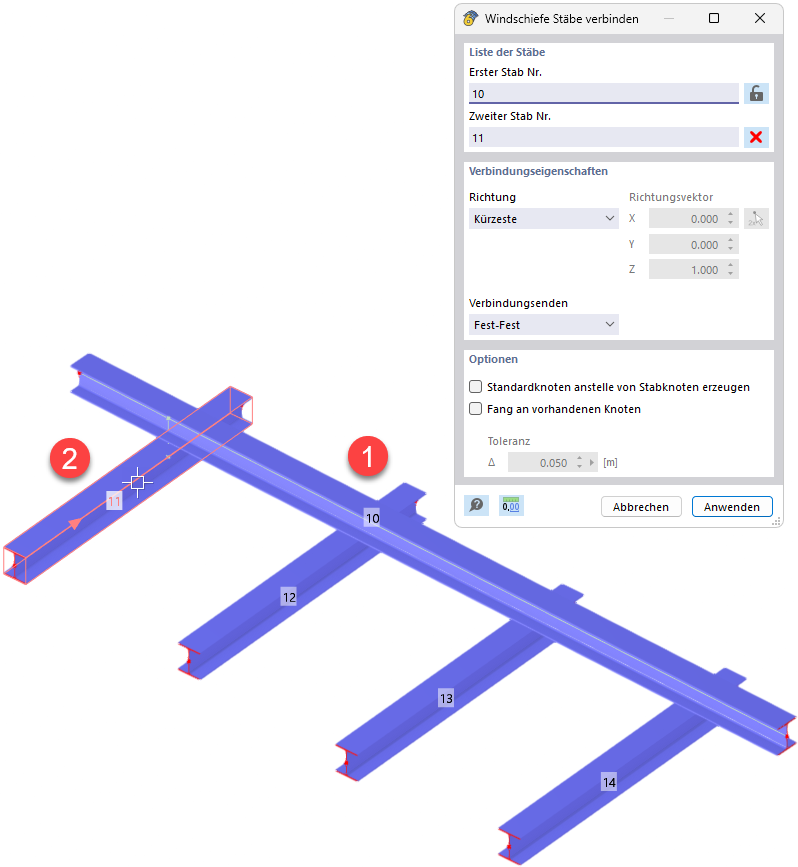
The “Connect Skew Members” dialog box allows you to connect two non-intersecting members in a model. Under “List of Members,” the first member (Nr. 10) and the second member (Nr. 11) are entered. In the connection properties, the “Shortest” direction and the “Fixed-Fixed” connection ends are selected. Available options include creating standard nodes instead of member nodes and starting at existing nodes. In the model area, the tool connects the selected Member 11 to Member 10 of a truss made of rolled sections.