2026-11-16
065664
Dialog Box 'Manager for Short Printout Reports'
Dialog box 'Manager for short printout reports'
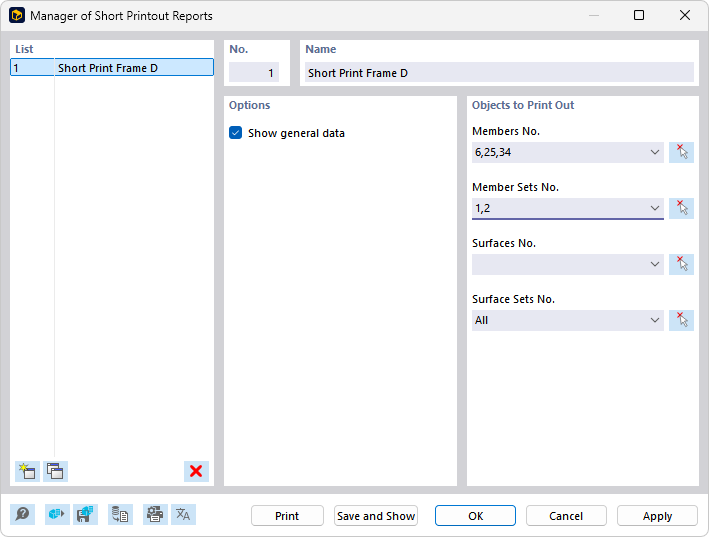
The 'Manager for Short Printout Reports' dialog shows a short printout report with number 1 in the list. In the 'Options' section, the display of base data is activated. Under 'Objects to Be Printed', members No. 6, 25, 34, the member sets No. 1, 2, and all surface sets are selected. The buttons 'Printing', 'Save and Display', 'OK', 'Cancel', and 'Apply' allow further processing of the printout report.