2026-11-23
065738
Defining Load Distribution Factors for Members
Define load distribution factors for members
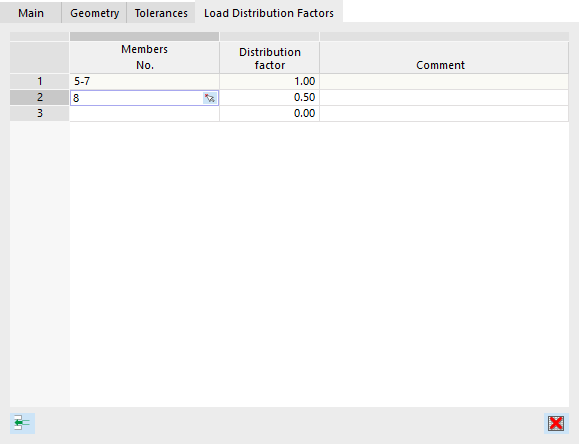
The "Load Distribution Factors" dialog box contains the Base, Geometry, Tolerances, and Load Distribution Factors tabs. In the table, members are defined by their numbers, for example members 5–7 with the distribution factor 1.00 and member 8 with the factor 0.50. In addition, a column is available for comments. Using the button to the right of the input box, members can be selected graphically in the model.