
2025-07-22
057897
Model 005867 | Load Wizard
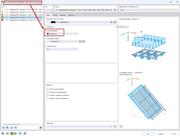
Dialog box for entering load distribution with details on variable loads.
The image shows a dialog box for entering load distribution with the option “Variable in ...”. The input window contains specific parameters for controlling load distribution, which allow the user to define the effects of loads precisely. This feature supports engineers in the accurate analysis and adjustment of dynamic loads on structures.
3D Model
Specifications
| Number of Nodes | 28 |
| Number of Lines | 19 |
| Number of Members | 19 |
| Number of Surfaces | 0 |
| Number of Solids | 0 |
| Number of Load Cases | 1 |
| Number of Load Combinations | 0 |
| Number of Result Combinations | 0 |
| Total Weight | 0.977 tons |
| Dimensions (Metric) | 8,121 x 3,000 x 8,000 m |
| Dimensions (Imperial) | 26.64 x 9.84 x 26.25 feet |