2026-04-21
062390
How to Disconnect Model Dependencies After Importing Support Reactions
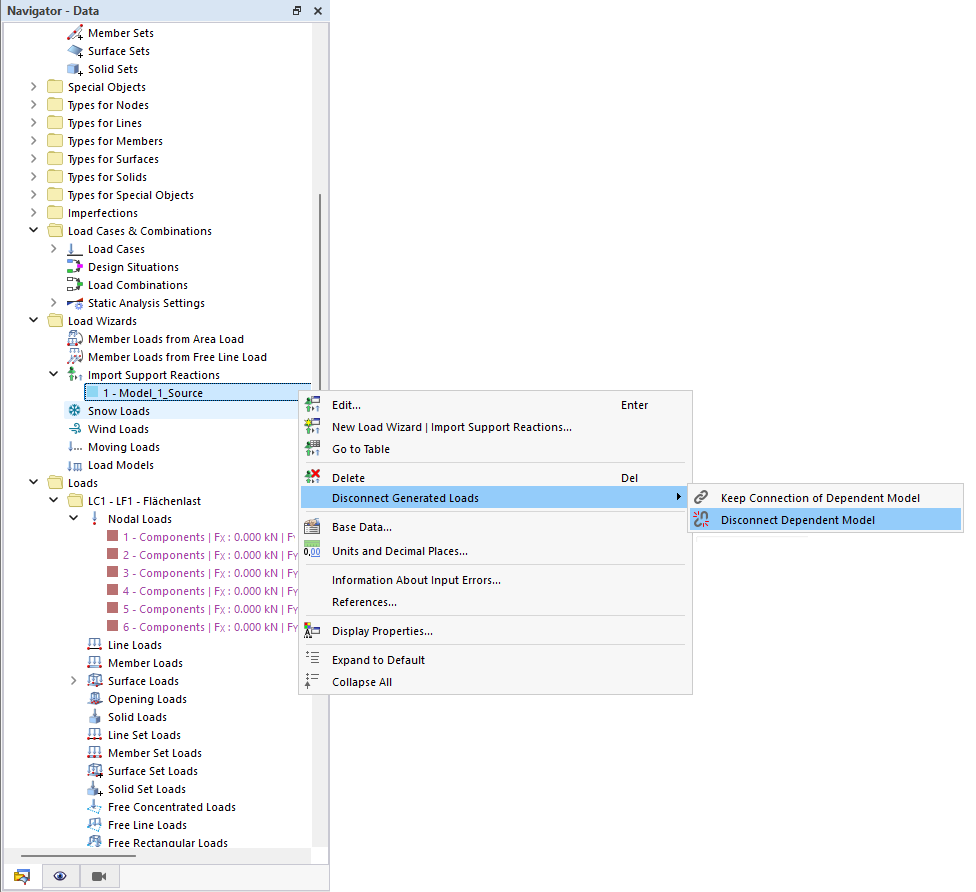
Disconnect Model Dependencies after Importing Support Reactions
After importing support reactions via the Load Wizard, a link to the source model is created. This connection can be removed to make the model independent and easier to share.