


When importing support reactions via the load wizard, a link to the original model is automatically created. As a result, the model is no longer self-contained and may not be able to be calculated or shared properly (for example, with support or colleagues) without the source model.
To remove this dependency, open the Data Navigator and navigate to Load Wizard → Imported Support Reactions. Right-click the corresponding entry and select Disconnect from Generated Loads → Detach Dependent Model. Then confirm the confirmation prompt.
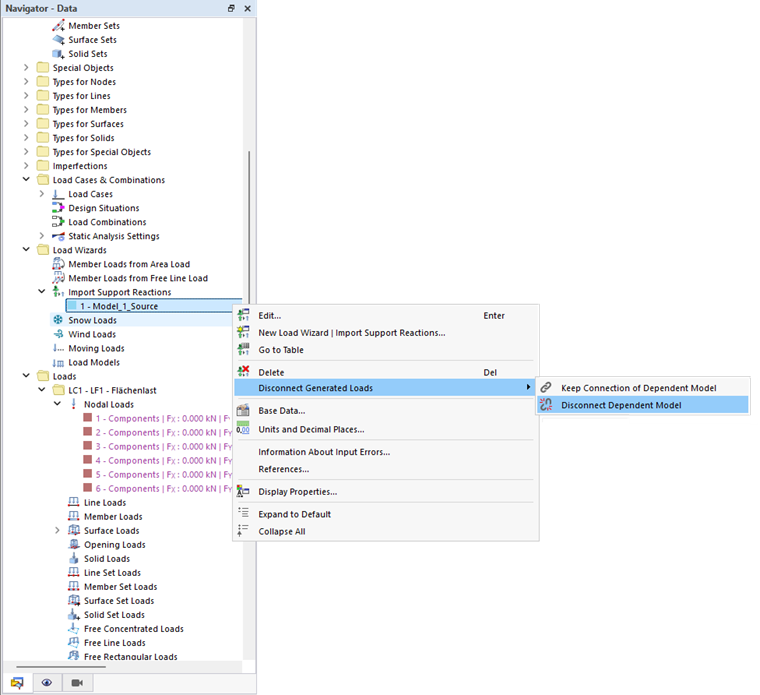
After detaching the model, the applied load remains in the model, but the link to the original model is removed. The model is now stand-alone and can be shared without additional files. Note that the link can only be restored using the “Undo” command.