2026-08-17
064383
Display Properties for Values on Surfaces
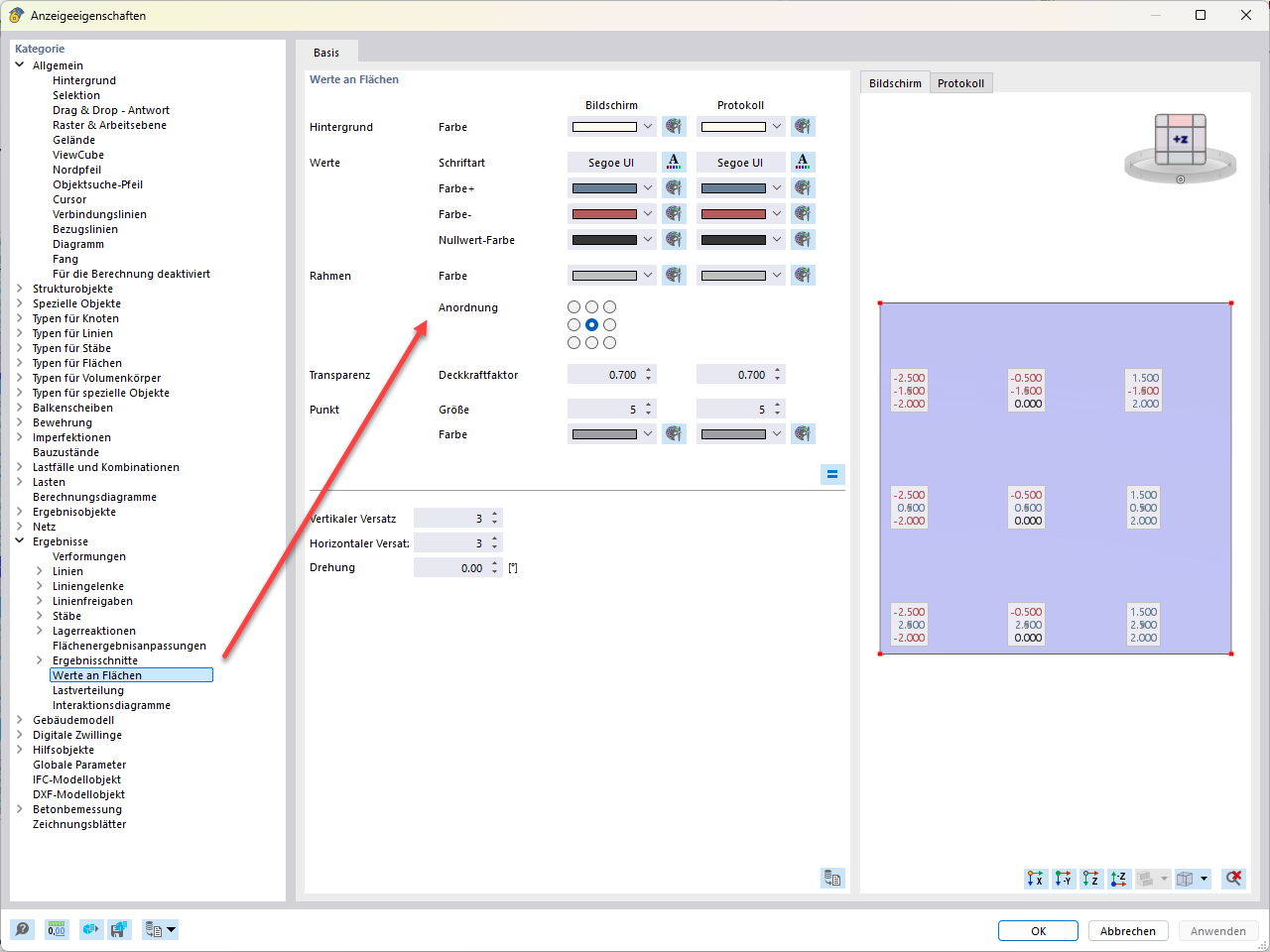
A dialog box for configuring the display of results on surface elements, with settings for font, colors, and layout.
The “Display Properties” dialog box is displayed, with the focus on the “Values on Surfaces” category under the results. In the middle section, you can define parameters such as background color, font, borders, and transparency for the screen display, as well as the report. A key feature is the option to select the layout of the value texts on the surface. The preview on the right shows a surface element with a 3x3 matrix of result values.