


问题:
在 RFEM 6/RSTAB 9 中如何将杆端铰以图形方式分配给杆件?
答案:
Member hinges can be assigned to members graphically by right clicking on a member hinge definition type and selecting the option 'Assign to Members'.
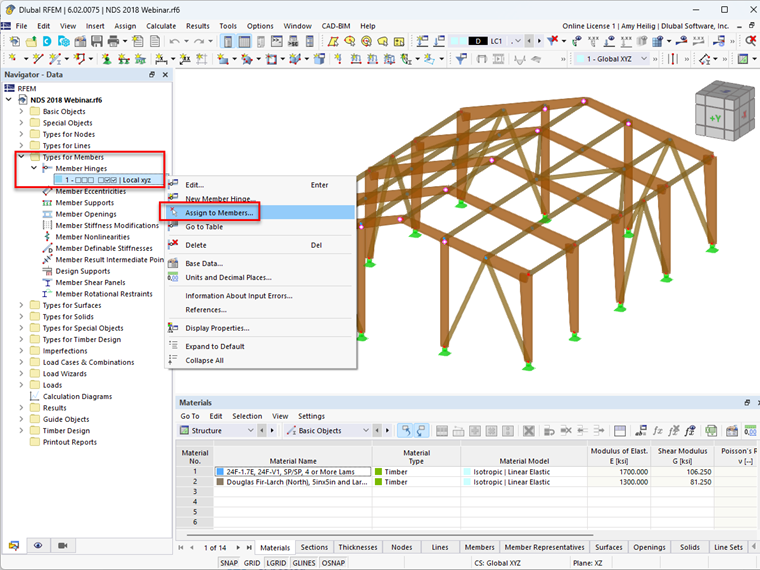
After this option is selected, the eligible members' start and end regions are available to select graphically. Once selected, the member hinge will be visible at the member start or end locations.