


回复:
杆端铰可以在杆件铰定义类型上单击鼠标右键,然后选择“分配给杆件”,以图形方式将杆端铰分配给杆件。
 常见问题和解答 (FAQ)
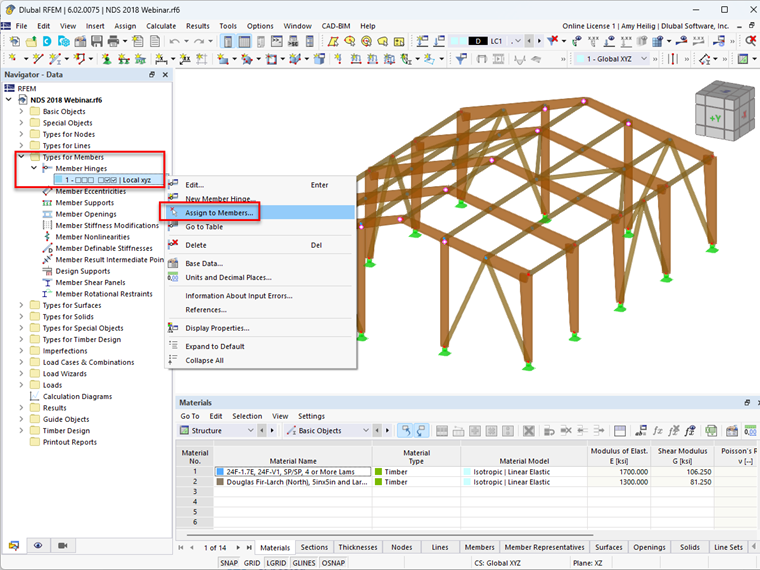
After this option is selected, the eligible members' start and end regions are available to select graphically. Once selected, the member hinge will be visible at the member start or end locations.