Answer:
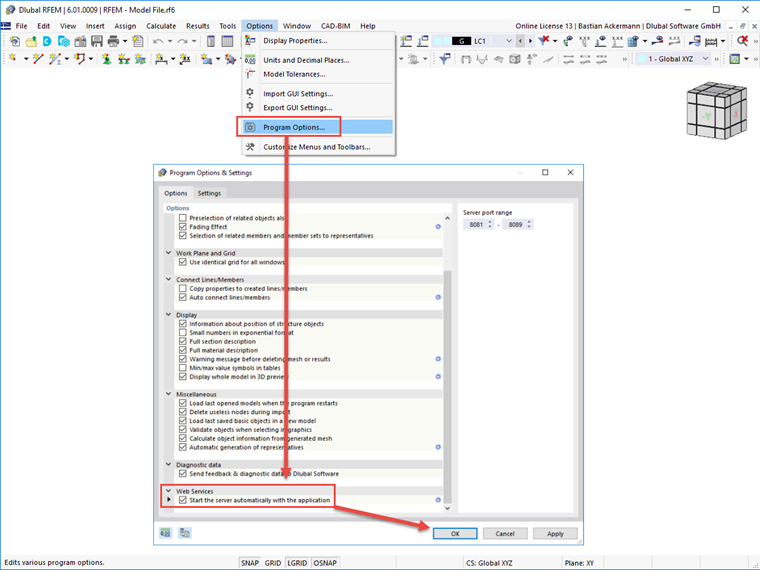
Please make sure that the "Webservice I" option is activated in the program options under Webservice; see the image.
Sign up for the Dlubal Extranet to get most of the software and have exclusive access to your personal data.
Sign up for the Dlubal Extranet to get most of the software and have exclusive access to your personal data.
Sign up for the Dlubal Extranet to get most of the software and have exclusive access to your personal data.
After starting a web service or an interface from RFEM 6 / RSTAB 9, I get an error message. What can I do?
Please make sure that the "Webservice I" option is activated in the program options under Webservice; see the image.
Ms. Göbel provides technical support for Dlubal Software customers.