Community
Sign in to your account

Sign up for the Dlubal Extranet to get most of the software and have exclusive access to your personal data.

Create Account
By signing-in you agree to Dlubal Conditions of Use & Sale. Please see our Privacy Notice, our Cookies Notice.
0
Webshop
Contact Sales Team
Language
  • Deutsch
  • English
  • Français
  • Español
  • Português
  • Italiano
  • Česky
  • Polski
  • Pусский
  • 中文(简体)
  • Industries
    • Reinforced Concrete Structures
    • Prestressed Concrete Structures
    • Steel Structures
    • Timber and Wood Structures
    • Masonry Structures
    • Aluminum and Lightweight Structures
    • Buildings
    • Industrial Structures and Plants
    • Pipelines
    • Bridge Structures
    • Cranes and Craneways
    • Towers and Masts
    • Glass Structures
    • Tensile Membrane Structures
    • Cable and Tensile Structures
    • Laminate and Sandwich Structures
    • Temporary Structures
    • Scaffolding and Rack Structures
    • Offshore Structures
    • Silos and Storage Tanks
    • Renewable Energy Plants
    • Solar Structures & Mounting Systems
    • Shipbuilding and Floating Bodies
    • Conveyor Structures
    • Drilling Structures
    • Swimming Pools and Water Parks
    • Container Structures
    • Drilled Pile Foundations
    • Staircase Structures
    • Power Plants
    • Hydraulic Steel Engineering
    • Mechanical Engineering
    • Pneumatic Structures
    Application Areas
    • Structural Engineering
    • Finite Element Analysis (FEA)
    • Wind Simulation and Wind Load Generation
    • Stress Analysis
    • Nonlinear Analysis
    • Stability Analysis
    • Nonlinear Buckling Analysis
    • Warping Torsion Analysis
    • Dynamic and Seismic Analysis
    • Nonlinear Dynamic Analysis
    • Pushover Analysis
    • Form-Finding and Cutting Patterns
    • Steel Joints
    • BIM Planning
    • Cold-Formed Sections
    • Soil-Structure Interaction
    • Facade Analysis
    • Foundations and Foundation Engineering
    • Construction Stages
    • Fire Resistance
    Standards
    • Eurocodes (EC)
    • German Standards (DIN)
    • British Standards (BS EN, BS)
    • Italian Standards (NTC)
    • US Standards
    • Canadian Standards (CSA)
    • Australian Standards (AS)
    • Swiss Standards (SIA)
    • Chinese Standards (GB, HK)
    • Indian Standards (IS)
    • Mexican Standards (RCDF, CFE Sismo 15)
    • Russian Standards (SP)
    • South African Standards (SANS)
    • Brazilian Standards (NBR)
    Online Services
    • Geo-Zone Tool Top Menu Icon Snow Load, Wind Speed, and Seismic Load Maps
    • Cloud Calculation Icon Cloud Calculations
    • Structural Analysis Wiki Icon Structural Analysis Wiki
    • Cross-Section Properties of Steel and Timber Sections Icon Cross-Section Properties of Steel Cross-Sections
    Structural Design for Solar Systems

    Dlubal Software helps you create and verify any solar mounting system. Work efficiently with steel, aluminum, and concrete structures in a single environment.

    Explore Tools
    Solar Structures Solar Structures | Mobile Version
    Dlubal API

    The new Dlubal API service (gRPC) provides you with a flexible interface to the structural analysis software based on Python and C#, with direct access to the entire Dlubal product range.

    Start With API
    Background for the main menu banner API Background for the main menu banner API
  • Icon representing RFEM 6, a finite element analysis software application. RFEM 6 Only Structural Analysis and Design Software You Need for Your Projects

    RFEM 6 serves as the basis of the modular program family and is used to define structures, materials, and actions for plate, wall, shell, and beam structures, as well as for solids and contact elements.

    More Information
    Add-on Switch Icon Add-ons
    • Additional Analyses
    • Dynamic Analysis
    • Special Solutions
    • Design
    • Connections
    RSTAB 9 Icon without borders RSTAB 9 Iconic Frame and Truss Analysis Software

    RSTAB 9 is a powerful analysis and design software for 3D beam, frame, or truss structure calculations, reflecting the current state of the art and helping structural engineers meet requirements in modern civil engineering.

    More Information
    Add-on Switch Icon Add-ons
    • Additional Analysis
    • Dynamic Analysis
    • Special Solutions
    • Design
    RSECTION 1 Icon without borders RSECTION 1 User-Defined Cross-Section Properties

    RSECTION supports structural engineers by determining cross-section properties for a wide variety of cross-sections and allowing for subsequent stress analysis.

    More Information
    Add-on Switch Icon Add-ons
    • Effective Sections
    RWIND 3 Icon without borders RWIND 3 CFD Software for Digital Wind Tunnels

    RWIND 3 is a digital wind tunnel for simulating wind flows around any building geometry and for the calculation of the wind loads on their surfaces.

    More Information
    API Icon Dlubal API Your Gateway to Parametric Modeling and Automation

    The new Dlubal API service (gRPC) provides you with a flexible interface to the structural analysis software based on Python and C#, with direct access to the entire Dlubal product range. Benefit from seamless and powerful integration into your Dlubal software—ideal for parametric modeling and complex optimization tasks.

    Discover API
    API Documentation API Documentation
    • Index
    • Getting Started
    • Applications
    • Model Objects
    • Subscriptions & Pricing
    • Examples
    FEA for Steel Connections

    Design and analyze steel connections using CBFEM, compliant with EN 1993‑1‑8 and AISC 360, fully integrated in RFEM 6 for faster, more accurate structural workflows.

    Learn More
    Steel Connections Steel Connections
    Dlubal Community

    This platform offers a space for technical inquiries, engaging discussions on structural analysis and design, feature suggestion, and direct interaction with the Dlubal team and fellow users.

    Join Now
    Background for the Dlubal Community main menu banner Background for the Dlubal Community main menu banner
    Outdated Products
  • Support
    • Frequently Asked Questions (FAQ)
    • Knowledge Base
    • Product Features
    • Licensing
    • Ask Individual Question
    • Our Support Team
    • Submit Program Feature or Idea
    • FAQ for Licensing & Authorization 
    • Report Problem or Program Issue
    • Program Updates
    • Program Issues
    • Formulas | Math is fun!
    Training
    • First Steps with RFEM
    • First Steps with RSTAB
    • Online Training
    • Training at Dlubal
    • Individual Training
    • Videos
    • E-Learning Videos
    • Webinars – Learn Online
    • Online Courses
    Service
    • Free Support / Service
    • Extranet | My Account
    • Project Support
    • Service Contract
    • Geo-Zone Tool for Load Determination
    • Updates & Upgrades
    • Previous Program Versions
    Sales
    • Webshop
    • Our Sales Team
    • Contact Our Sales Team
    • Schedule an online product demo
    • Why Dlubal Software
    AI Support Assistant
    • Mia – Your 24/7 AI Assistant
    • Discover Your Personal AI Assistant
    Free Support & Service

    Need help? Access free support options including 24/7 AI assistance, email support, and webinars.

    Learn More
    Free Support & Service Free Support & Service
    Find Answers Fast

    Find quick answers to common questions about Dlubal Software. Search or filter hundreds of FAQ to solve issues in no time.

    View FAQ
    Frequently Asked Questions (FAQ) FAQ | Mobile Version
  • News
    • Current News
    • New Product Features
    • Subscribe to Newsletter
    • New Programs
    • Dlubal Blog
    Training
    • Online Training
    • Individual Training
    Events
    • Event Overview
    • Trade Fairs and Conferences
    • Webinars
    Master Engineering with Webinars

    Join industry leaders and explore solutions in structural engineering and software. Enhance your skills with our live sessions!

    See Next Webinars
    3D FEA Software RFEM 6 | First Steps Menu Banner Image | News Webinars | Mobile Version
    Unlock the Power of Innovation

    Discover cutting-edge tools and enhancements designed to boost your engineering workflow.

    Explore New Features
    Explore New Features Menu Banner Image | News_ProductFeatures | Mobile Version
  • Download Full Version

    Would you like to try out the capabilities of the Dlubal Software programs? You have the opportunity to do so! With the free 90-day full version you can thoroughly test all our programs.

    Start Trial Version Now
    Dlubal Free Zone

    In the Dlubal free zone, you can access webinars, articles, and software trial versions—all free of charge and conveniently located in one place.

    More Information
    Examples
    • Structural Analysis Models to Download
    • Submit Structural Analysis Model
    • Introductory Examples and Tutorials
    • Verification Examples
    • Image Overview
    Documents
    • Online Manuals
    • Manuals
    • Leaflets, Brochures, and Certificates
    • Info Sheets
    References
    • Customer Projects
    • Why Submit Your Customer Project?
    • How to Submit Customer Project?
    • Submit Customer Project
    Free Models to Download

    Explore thousands of ready-to-use structural models. Download, adapt, and use them as templates to accelerate your design process.

    Discover Models
    Structural Analysis Models to Download Free Models to Download | Mobile Version
    Dlubal Free Zone

    Get expert help whenever you need it. Enjoy free AI assistance, email support, live webinars, and premium services for Service Contract Pro users.

    Get Support
    Free Support & Service Free Support & Service | Mobile Version
  • E-Learning
    • RFEM 6 for Beginners
    • RFEM 6 for Students
    • Programming with RFEM 6 and Python
    • RFEM 6 with Rhino & Grasshopper
    • RFEM 5 for Beginners
    • Modeling with RFEM 5
    • Structural Analysis Learning Videos for Students
    • Quick Tutorials for Dlubal Programs
    • Best Tips and Tricks in RFEM
    • Dlubal Online Training Recordings
    • Recorded Dlubal Webinars
    Students and Schools
    • Free Structural Analysis Software for Students
    • Request or Renew Free Student License
    • Request for Free Instructor License
    • Submit Student Thesis
    • Why Submit Your Thesis?
    • Graduation Theses with Dlubal Structural Analysis Software
    • Free Structural Analysis Software for Educational Institutions
    • Request School Package
    • Free Introductory Training at Your University
    • Request Training Date
    Knowledge Platform
    • First Steps with RFEM
    • Videos
    • Online Manuals
    • Structural Analysis Wiki
    • Knowledge Base
    • Frequently Asked Questions (FAQ)
    Infotainment
    • Podcast
    • Dlubal Blog
    • Introduction to Structural Analysis and Design
    First Steps with RFEM 6

    Take your first steps with RFEM 6 and discover how quickly you can model and calculate. Customize with add-ons for even more possibilities.

    Get Started
    3D FEA Software RFEM 6 | First Steps Menu Banner Image | News Webinars | Mobile Version
    Free Structural Analysis Software for Students

    Thousands of students worldwide already benefit from Dlubal Software. Enjoy free access, training, and expert support throughout your studies.

    Get Free License
    Free Structural Analysis Software for Students Free Structural Analysis Software for Students
  • About Us
    • History and Facts
    • Company Philosophy
    • Why Dlubal Software?
    • Product Comparison
    • Quality Policy
    • Our Team
    Contact
    • Dlubal Locations Worldwide
    • Authorized Dlubal Resellers
    References
    • Customer Reviews
    • Customer Projects
    • Why submit your customer project?
    • Verification Examples
    • Your Review
    • Participation in Research Projects
    Our Customers

    We present our customers who realize their projects with Dlubal Software. Learn how our customers worldwide implement innovative solutions in construction and engineering using advanced tools for structural analysis and dynamic analysis.

    View Our Customers
    Building Success Together

    Discover how leading engineers around the world trust our solutions to elevate their projects with us.

    See Our Customers
    See Our Customers Menu Banner Image | Company_OurCustomers_Mobile
    Find Your Dream Job

    Join a global leader in engineering software and take your career to new heights.

    Explore Open Positions
    All Open Positions Menu Banner Image | Open Positions Mobile
  • Achieve More Together
    • Career at Dlubal
    Teams
    • Product Development
    • Customer Service
    • Sales
    • Marketing
    • Software Development
    • Administration
    Jobs
    • All Open Positions
    • Product Development
    • Customer Support
    • Sales
    • Marketing
    • Software Development
    • Administration
    • Interns
    • Others
    Dlubal Team News
    • Team Stories
    Build Your Future with Us

    Reveal how our team shapes the future of engineering. Experience innovation, growth, and exciting challenges.

    Your Career Opportunities
    Career at Dlubal Menu Banner Image | Career at Dlubal Mobile
    Meet the Experts

    Our dedicated engineers are here to assist you with modeling, design, and technical challenges—anytime, anywhere.

    Connect with Support
    Our Team Menu Banner Image | Company_OurTeam | Mobile Version
  • Webshop
Main Products
Icon representing RFEM 6, a finite element analysis software application.
RFEM 6
RSTAB 9 Icon without borders
RSTAB 9
RWIND 3 Icon without borders
RWIND 3
RSECTION 1 Icon without borders
RSECTION
Online Services
Geo-Zone Tool icon
Geo-Zone Tool
Cross-section Properties
Cross-Section Properties
API Icon
API
Cloud Calculation Icon
Cloud Calculation
Downloadable Models
Downloadable Models
Dlubal Community Icon
Dlubal Community
Knowledge Base Articles Icon
Knowledge Base
Online Webinars
Webinars
Sign in to your account

Sign up for the Dlubal Extranet to get most of the software and have exclusive access to your personal data.

Login Create Account
90-Day Free Trial
Sign in to your account

Sign up for the Dlubal Extranet to get most of the software and have exclusive access to your personal data.

Login Create Account
  • Education
  • Students and Schools
  • Free Structural Analysis Software for Students

Free Structural Analysis Software for Students

Are you a university or college student? You can get full access to Dlubal software for free during your studies! All you have to do is send us your Student Enrolment Verification, and you'll be able to use our powerful structural analysis tools for one year, with the option to renew the license. There are no limits or restrictions – plus free online training and 24/7 technical support. Join the thousands of students who are already taking advantage of this unique opportunity.

Learn more and start your journey with Dlubal Software today!

Free Structural Analysis Software for Students
Contact Icon
Request Free License

Get your free student license for our structural analysis software and enjoy access to a wide range of powerful tools, including all add-ons and our full suite of programs, to supercharge your studies.

Request Now!
Contact Icon
Renew Your License

Do you already have a student license? Renew it here to keep using our top-tier structural analysis software, including all the add-ons and programs, so you can stay on top of your studies.
Renew Now!
Download Free Full RFEM 6 Trial Version | Icon
Free Full Trial Version

Want to get started right away? Try our 90-day trial version and get full access to all the features of our structural analysis software, including add-ons and programs. There's no commitment — you can start whenever you're ready!

Start Free Trial!

3D Software Based on CAD Interface

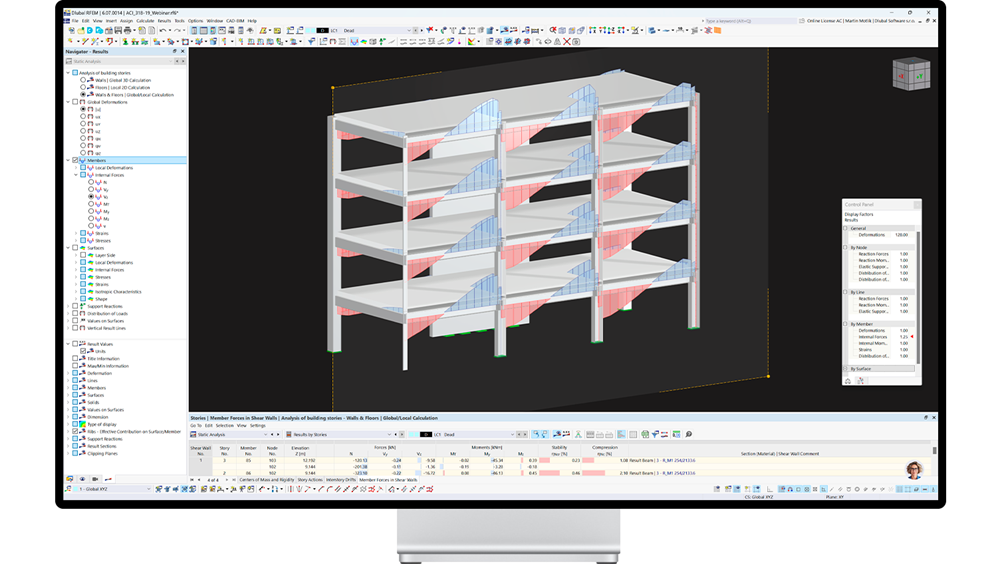
One of the best things about the Dlubal programs is that they're so easy to use. RFEM 6 is no exception! You can create your structure in a CAD-like user interface or using clear tables. By right-clicking the graphical or navigator objects, a shortcut menu appears, allowing you to easily create or edit the objects.

Your browser does not support the video tag.
Free Structural Analysis Software for Students Free Structural Analysis Software for Students
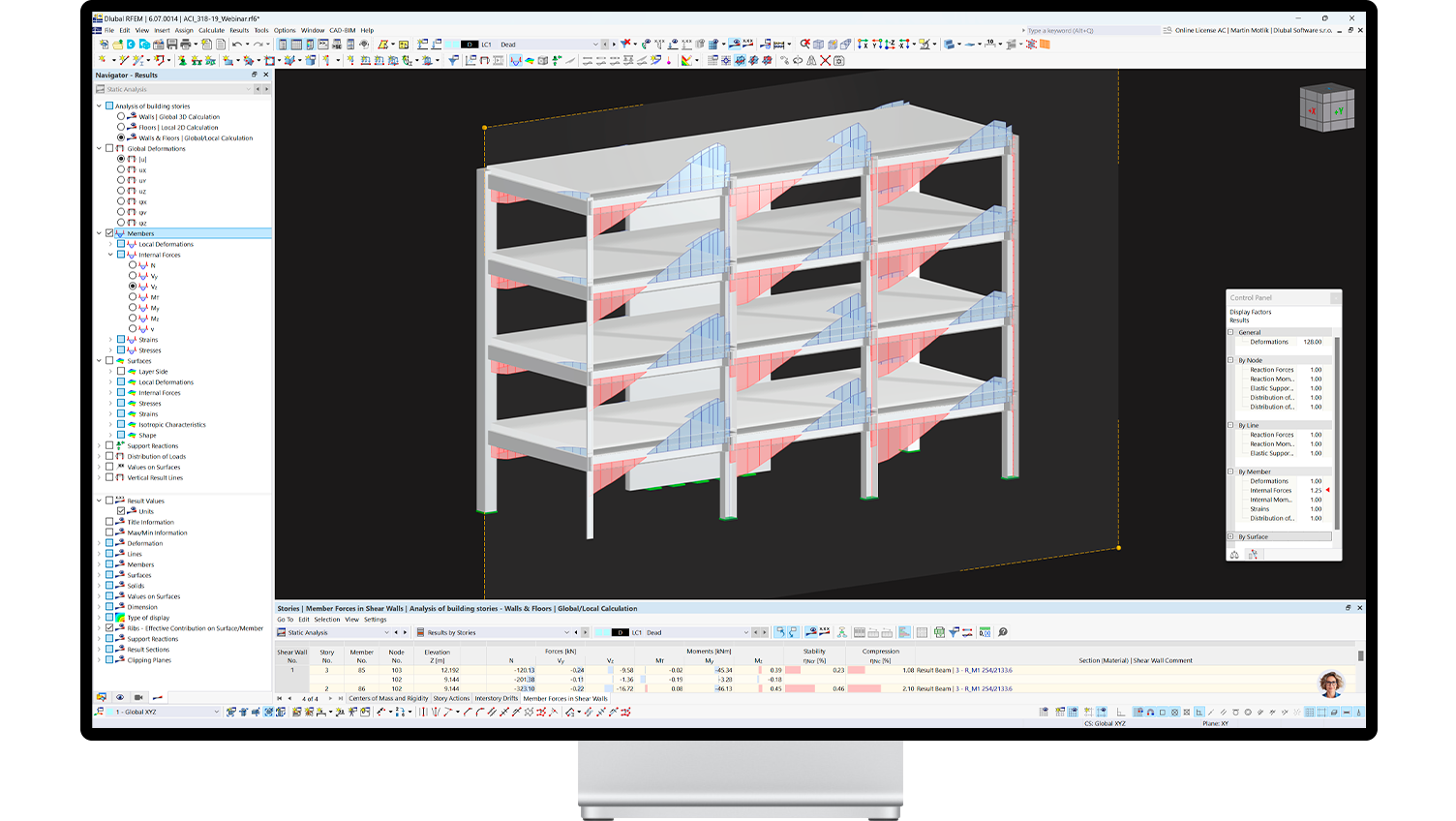
Navigator RFEM 6
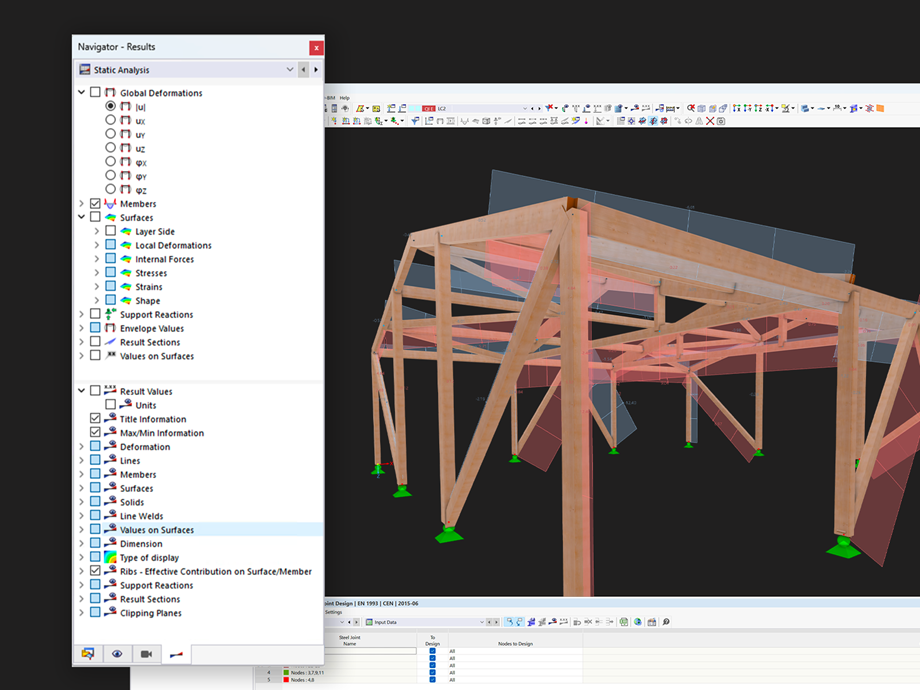
Navigator

Keep track of your results and customize model settings. In the tree structure, you can easily find internal forces, deformations, stresses, and other essential results.

Table

The table displays the numerical results of your structural analysis for individual load cases and their combinations. With the clear graphical interface, you can easily determine if your design meets the requirements. All data can also be easily imported into the printout report for further presentation or documentation.

Model

This is where it all happens! Thanks to advanced antialiasing, models in RFEM 6 excel with top-notch graphics, which makes them perfect for presentations. You can immediately see the results of your structural analysis in the model, such as internal forces on beams. You can easily manipulate the model, perform 3D sections, and gain a better understanding of the structure's behavior.

Toolbar

Similar to CAD systems, RFEM 6 offers a toolbar that guides you through the modeling and analysis process. You can use it to easily add loads and supports, or quickly model the basic parts of your structure.

Thousands of Models to Download

Our extensive library of ready-to-use models is waiting for you to explore! Download, customize, and apply our professional models in practice, available for free and ready to use right away.

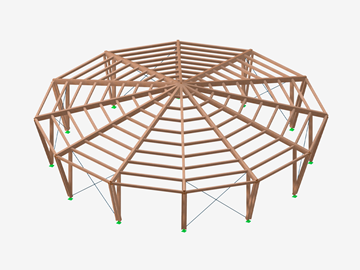
Timber Structure
Round Timber Hall
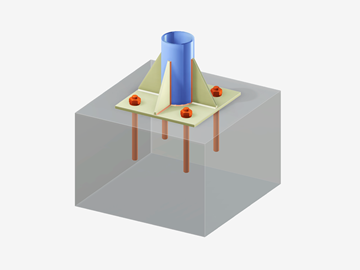
Base Plate-Concrete Block Connection
Base Plate Connection
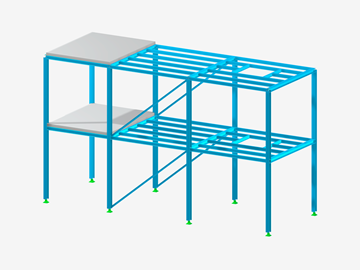
Steel Structure
Steel Structure
Reinforced Concrete Building
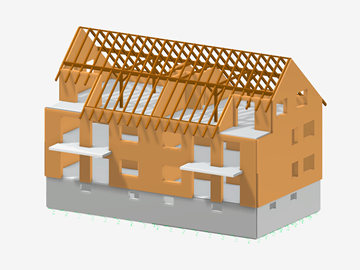
Masonry Building
Masonry Building
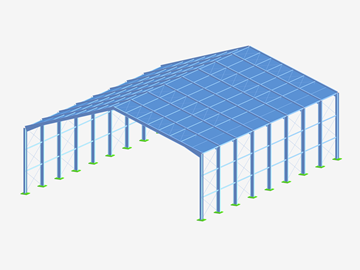
Steel Hangar
Steel Hangar
Explore All Models

Let’s Learn Together!

We provide students with comprehensive e-learning resources, including live webinars, step-by-step guides for getting started with RFEM 6, 24/7 access to expert assistance at no cost, and detailed online manuals for all our software programs. We've got everything you need to excel in structural analysis, and we'll be with you every step of the way.

With us, you have all the essentials for your success within reach!

  • Live webinars
  • Step-by-step guides
  • 24/7 technical support
  • Detailed online manuals
  • Comprehensive E-learning resources
E-Learning
First Steps
First Steps

This short guide will help you get started and familiarize you with the key features of the software.

Get Started Now!
Webinars
Webinars

Access our recorded webinars at any time. Watch sessions on RFEM, RSTAB, and the add-ons whenever you want.

Watch Webinars Anytime!
Tutorials
Tutorials for Beginners

Everything is explained step by step, from the installation to the program interface, so you can get started right away.

Dive into Basics!

Free 24/7 Support for Students

Our team of over 30 skilled engineers is ready to assist with all your queries.

Dlubal Software Support Team Support Team | Mobile Version Image

Online Tools to Streamline Your Workflow

Geo-Zone Tool

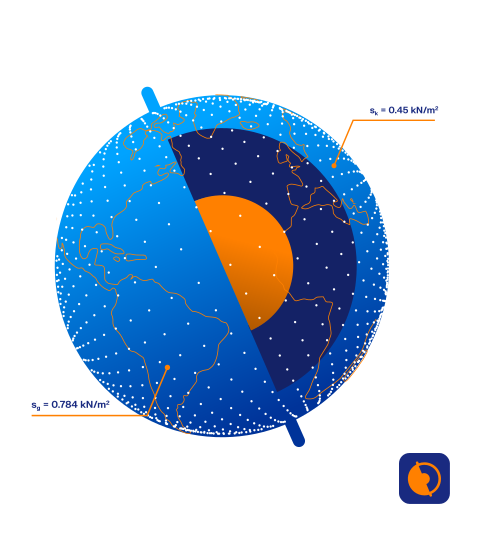
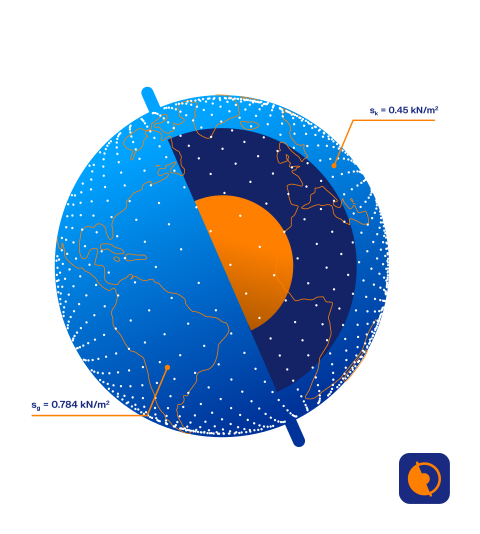
Easily determine snow loads, wind speeds, and seismic loads with Dlubal Software's intuitive online service. Our interactive load zone maps, powered by Google, deliver precise data in just a few clicks.

Discover Geo-Zone Tool
Geo-Zone Tool Geo-Zone Tool

Cross-Section Properties

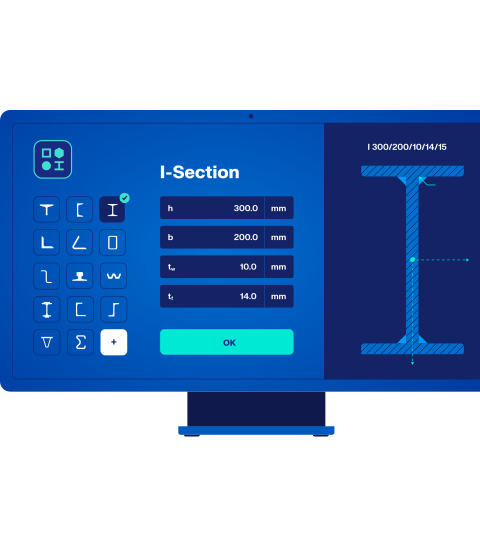
Access our online tables to easily find cross-section properties for steel and timber sections. They're always clear and accessible, so you can quickly find what you need for your structural design.

Get Cross-Section Info
Dlubal Students | Cross-Section Properties Dlubal Students | Cross-Section Properties
Dlubal Software – Free Structural Analysis Software for Students

More than 13,000 customers worldwide trust Dlubal Software for structural analysis and design.

Thornton Tomasetti
CRAFT NEW
HILTI
MERCER NEW
Layher
Logo of BEUMERGROUP showcasing collaboration with clients and projects.
TIMBERLAB
ASPECT NEW
StructureCraft company logo on a white background, representative of the company.
Logo of ZÜBLIN, a renowned construction company, showcasing their emblematic design related to their corporate identity.
GOLDBECK
Logo Our Customer | KREBS KIEFER
MAX BOGL NEW
The PERI company logo featuring distinctive red and yellow stripes, representing its brand identity.
WTM ENGINEERS
PIRMIN JUNG NEW
Logo of INROS LACKNER, a company potentially associated with engineering or construction projects.
LMP
Timbatec
Logo of GRBV Ingenieure im Bauwesen representing their engineering expertise and identity.

Download Free Full RFEM 6 Trial Version

Waiting for your student license approval? Don’t waste time – get started right away!

Download the 90-day full trial version of RFEM 6 with unlimited access to all features and programs. No restrictions, no waiting – get everything you need for your studies today!

Download Now
Trial Version | Free Structural Analysis Software for Students

Graduation Theses with Dlubal Software

At Dlubal Software, we provide a platform for students to share their graduation theses with the world. Browse our database of inspiring projects or submit your own to connect with a global audience and showcase your innovative engineering solutions.

Database of Graduation Theses
01

Database of Graduation Theses

Explore a vast collection of graduation theses, including student projects, diploma, bachelor, master, and doctoral theses.

All submissions are created by students using Dlubal structural analysis and design software, providing a wealth of insight and innovative solutions.
Why Submit Your Thesis?
02

Why Submit Your Thesis?

Share your student thesis with the world and gain international exposure! Our website is the perfect platform to showcase your project and reach hundreds of daily visitors. We'll also promote your work across Facebook, Instagram, and LinkedIn, connecting you with a global audience.
As a thank you, you'll get a free full-version license of RFEM or RSTAB with all add-ons for 6 months after your graduation, plus a USD 50 Amazon voucher!

Submit Your Thesis
03

Submit Your Thesis and Share Your Work Globally!

Have you completed a project using Dlubal software?

Submit your graduation thesis to showcase your achievements on an international platform. Gain visibility among industry professionals and fellow students, while promoting your work through our website and social networks.

Submit Your Student Thesis

Frequently Asked Questions

Who is eligible for the student license?

The student license is available to any student pursuing a technical field, primarily in structural engineering and related disciplines. To obtain the license, students must provide a valid enrollment certificate from their educational institution. The license is valid for one year, with the possibility of extension upon providing updated proof of enrollment.

Does the student license provide full software access?

Yes, students enrolled in structural engineering or related fields at technical colleges or universities can borrow Dlubal's full software (excluding RWIND Simulation and SHAPE‑MASSIVE) for one year. This license is extendable with proof of enrollment and is intended for non-commercial use. Additionally, email technical support is included.

Another key advantage is that models created using the student license are fully compatible with the commercial version of Dlubal software, allowing easy sharing and collaboration with others, such as sending your models to teachers for review. On the other hand, projects made with the student license cannot be used for commercial purposes under any circumstances.

Furthermore, unlike some other software, Dlubal does not place a watermark on printout reports generated using the student version.

  • Detailed Terms of Free Student License
What are the system requirements for Dlubal Software programs?

What are the system requirements for Dlubal Software programs?

Minimum system requirements for RFEM 6, RSTAB 9, RSECTION 1, and RWIND 3:

  • RAM: 8 GB
  • CPU: x64 processor
  • GPU: NVIDIA or AMD with OpenGL 4.2 support
  • OS: Windows 10 64-bit
  • Resolution: min. 1920x1080 px

Recommended configuration

  • RAM: 64 GB
  • CPU: Intel Core i9-14900K
  • GPU: NVIDIA GeForce RTX 4060 or better
  • OS: Windows 11 64-bit
  • 4k monitors

For more details, click here: Hardware and System Requirements

Is RFEM 6 available for the Mac operating system?

Currently, RFEM 6 is not directly designed for the Mac operating system.

However, there are options for effectively using RFEM 6 on your Mac. You can utilize applications like Microsoft Parallels. Parallels Desktop provides a virtual machine on the Macintosh that can run with Windows 11, for example. RFEM 6 can also be installed in this virtual machine.

In this environment, RFEM operates fully functional. Alternatively, you can install RFEM on another computer and access it through remote desktop.

We are diligently working on adapting our software for the Macintosh operating system to offer native support in the future.

Why submit your thesis?
  • Featured on Our Website

Hundreds of users around the world visit our website every day
Translated into nine languages (advertise your project and company on an international level)

  • Posted on Social Media

Your project will be posted on our social networks, including Facebook, X, Instagram, and LinkedIn.
Reach additional subscribers in various languages around the world.

  • Thank You Gift

In appreciation of you publishing your graduation thesis on our website, you will receive a free, full-version license of RFEM or RSTAB, including all add-ons, for the first 6 months after your graduation (incl. Service Contract Basic).
In addition, you receive a USD 50 Amazon voucher.
And you can also get a book in German: Finite Elements in Structural Analysis Practice. More About This Book

Submit Your Thesis (Form)
Career Image 16

Looking for Working Student Opportunities?

Play an active role in shaping the future of the international family business and join our great team. If you're looking for new opportunities to advance your career and fulfil your potential, you've come to the right place!

Find Your Dream Job Now
Structural Analysis and Design Software
Dlubal Software, Inc.

30 South 15th Street, 15th Floor
PA 19103 Philadelphia
United States

+1 (267) 702-2815 [email protected]
Dlubal Software GmbH

Am Zellweg 2
93464 Tiefenbach
Germany

+49 9673 9203-0 [email protected]
Solutions
  • Reinforced Concrete Structures
  • Steel Structures
  • Timber and Wood Structures
  • Steel Joints
Products
  • RFEM 6
  • RSTAB 9
  • RSECTION 1
  • RWIND 3
Support
  • Frequently Asked Questions (FAQ)
  • Ask Individual Question
  • Geo-Zone Tool for Load Determination
  • Contact Our Sales Team
News
  • Subscribe to Newsletter
  • Current News
  • Event Overview
  • Online Training
Resources
  • Free Full Trial Version
  • Submit Customer Project
  • Customer Projects
  • Online Manuals
Join Dlubal
Dlubal Community YouTube Facebook LinkedIn Twitter Instagram Pinterest TikTok
© 2001-2025 Dlubal Software GmbH | All rights reserved
Legal Notice
About Us
Sitemap
Language
  • Deutsch
  • English
  • Français
  • Español
  • Português
  • Italiano
  • Česky
  • Polski
  • Pусский
  • 中文(简体)