618x
002323
2017-12-01

Adjusting Colors for Result Diagrams in RF-CONCRETE Members

How can I adjust the color of the result diagrams for the RF‑CONCRETE Members add‑on module? For example, I would like to change the blue to light blue. Is that possible?


Answer:

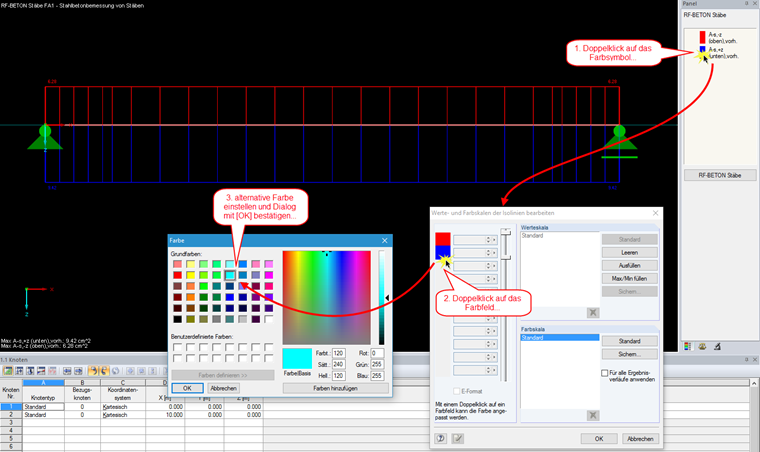
To adjust the colors for result distributions from RF‑CONCRETE Members, double-click the result panel.

A dialog box appears where you can double-click the color you want to change. You can then choose an alternative color for this selection and save this new color range under its own name.

Author

Ms. Matula provides technical support for our customers.


;