2469x
002995
2020-01-24

Removing Blank Rows in Table Without Deleting Every Single Row

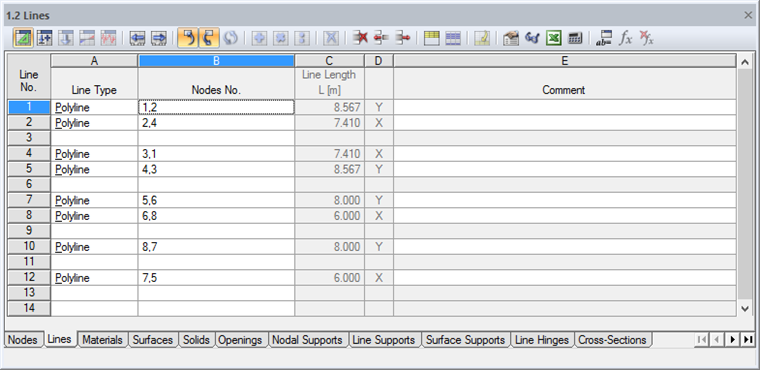
How can I remove the blank rows in the RFEM 5 /RSTAB 8 table window without deleting every single row?


Answer:

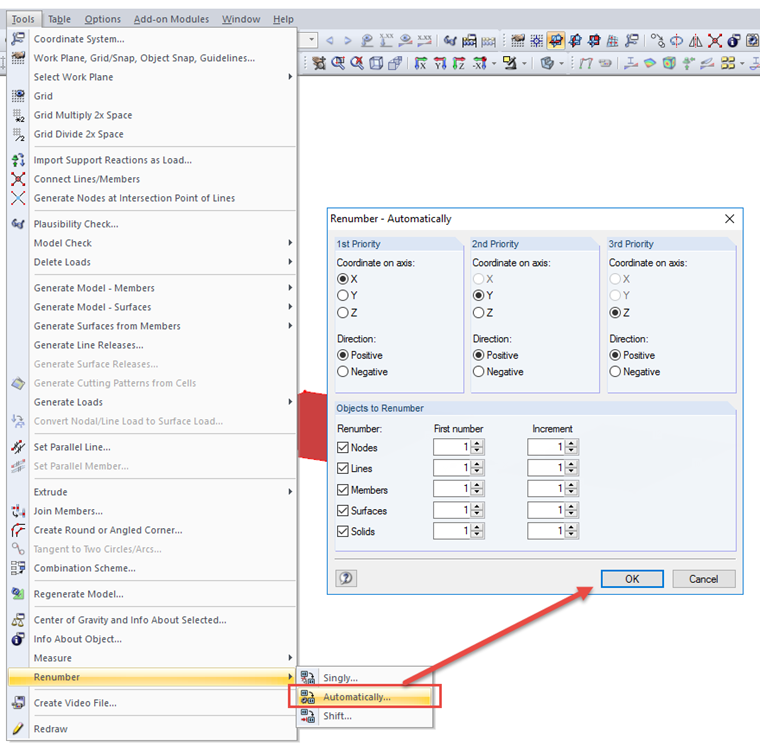
In order to remove the blank rows in the table and avoid deleting every single row, it would be reasonable to use the "Renumber" tool:
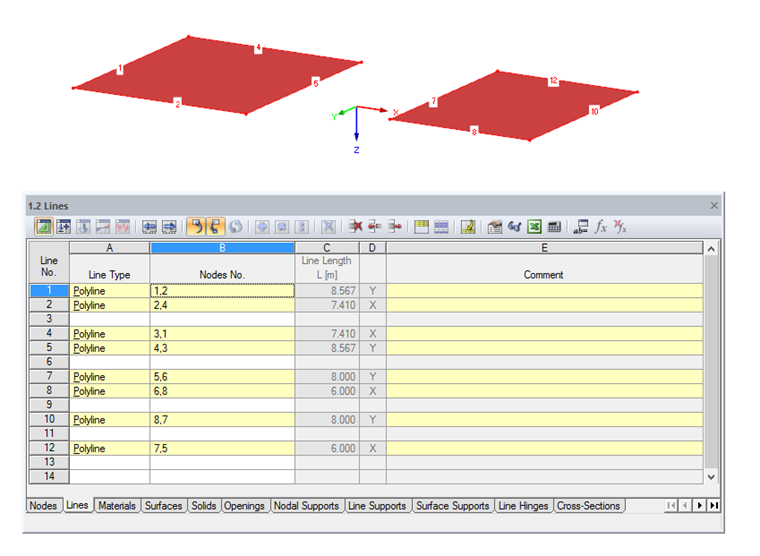
  • Select all corresponding objects, such as lines, nodes, surfaces, by using the Views navigator, if necessary.
  • Use the "Renumber" tool → "Automatically"
Author

Frank is responsible for quality assurance in the RFEM program and also assists with customer support. He oversees technical design processes and contributes to the stability and reliability of the software.

Downloads


;