Answer:
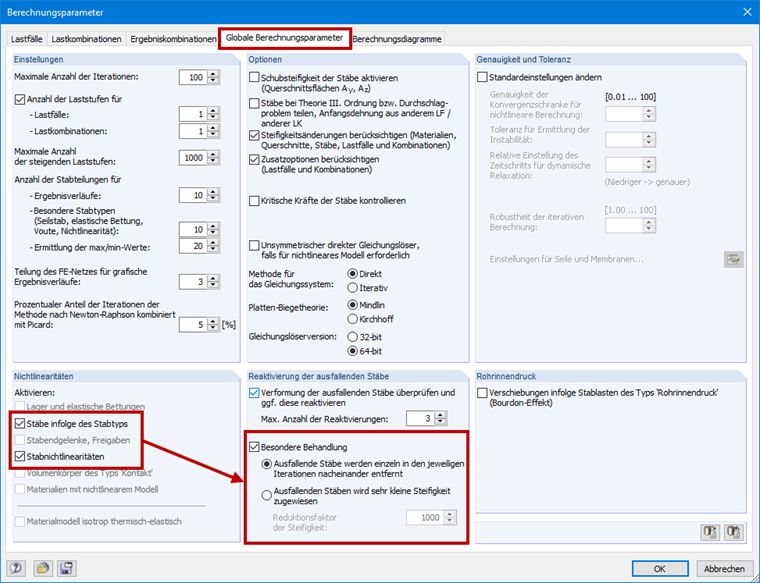
This option is only available if nonlinear structural elements (for example, tension members) are included in the structure. You can easily check to see if this is the case. Open the global calculation parameters and check in the "Nonlinearities" section at the bottom left to see whether the "Members due to member type" or "Member nonlinearities" option is available. If they are grayed out, there are no members with these parameters and the "Exceptional handling" option is thus unavailable, because there will be no failing members in such a case.