Answer:
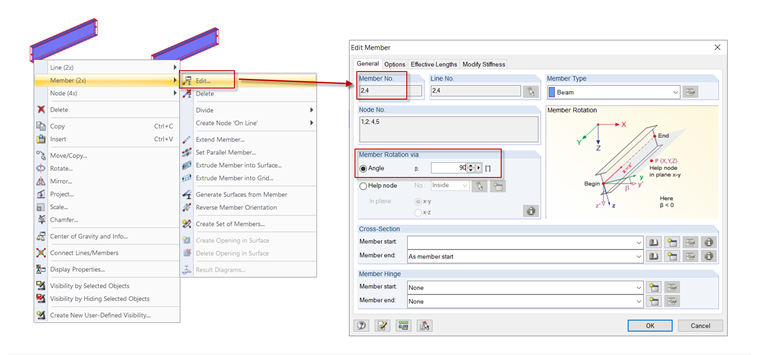
You can adjust the orientation of several different members or cross-sections at once by using multiselection in the following steps:
- Select the desired members.
- Use the shortcut menu of one of the objects to open the dialog box for editing members (see the image).
- Define a new member rotation angle.