Answer:
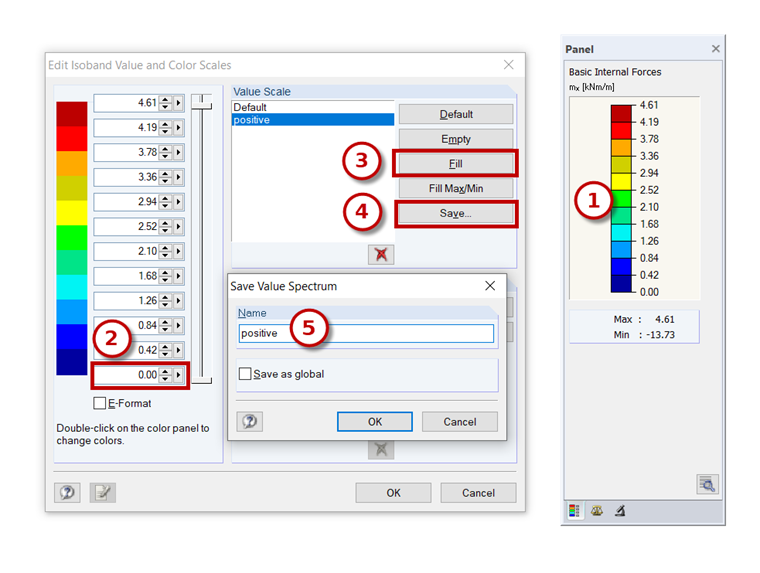
The value scale can be adjusted individually as follows:
- Double-click the color scale.
- Enter one or more desired values.
- Fill
- Save and confirm.
Sign up for the Dlubal Extranet to get most of the software and have exclusive access to your personal data.
Sign up for the Dlubal Extranet to get most of the software and have exclusive access to your personal data.
Sign up for the Dlubal Extranet to get most of the software and have exclusive access to your personal data.
How can I limit the display of the value scale in RFEM 5 and RSTAB 8 to only show positive values?
The value scale can be adjusted individually as follows:
Mr. Faulstich is responsible for the quality assurance of the RFEM program and provides customer support.