Answer:
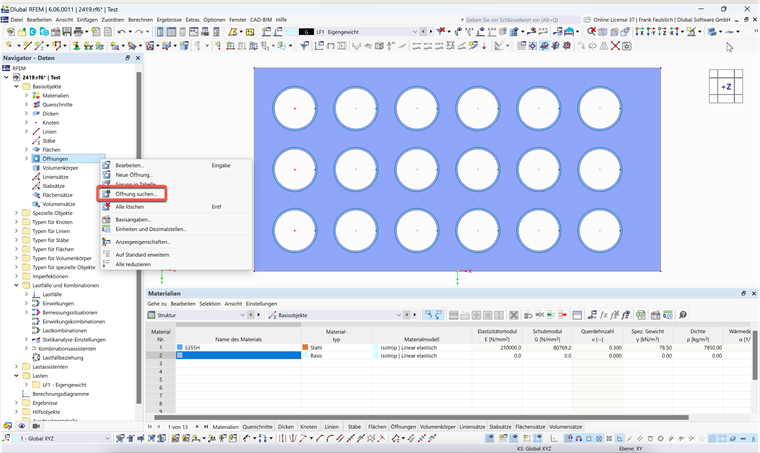
Right-click the "Openings" entry in the Data navigator and select "Find Opening" from the menu.
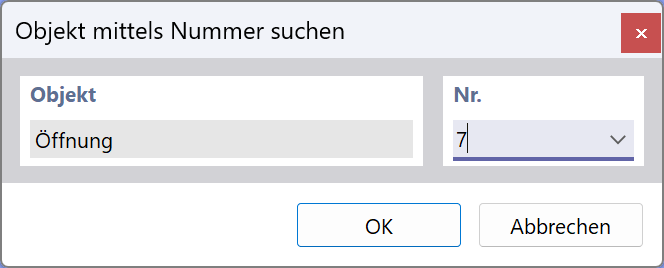
Enter the opening number and click OK.
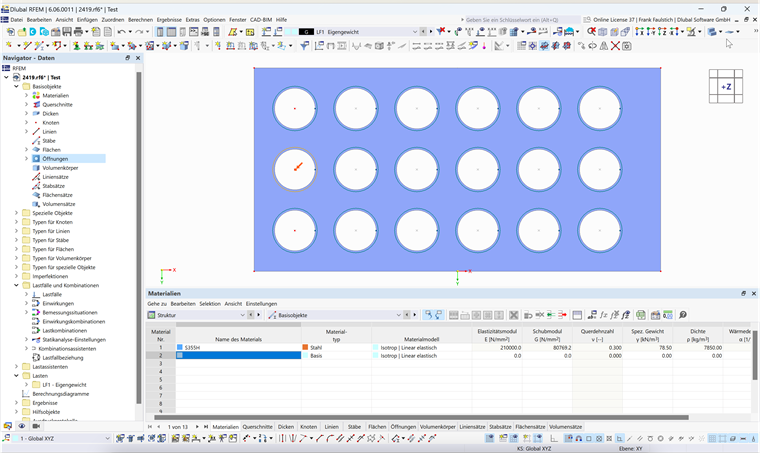
The opening is indicated by a red arrow in the graphic.
Sign up for the Dlubal Extranet to get most of the software and have exclusive access to your personal data.
Sign up for the Dlubal Extranet to get most of the software and have exclusive access to your personal data.
Sign up for the Dlubal Extranet to get most of the software and have exclusive access to your personal data.
How do I find an opening with a certain number in RFEM 6?
Right-click the "Openings" entry in the Data navigator and select "Find Opening" from the menu.
Enter the opening number and click OK.
The opening is indicated by a red arrow in the graphic.
Frank is responsible for quality assurance in the RFEM program and also assists with customer support. He oversees technical design processes and contributes to the stability and reliability of the software.