Answer:
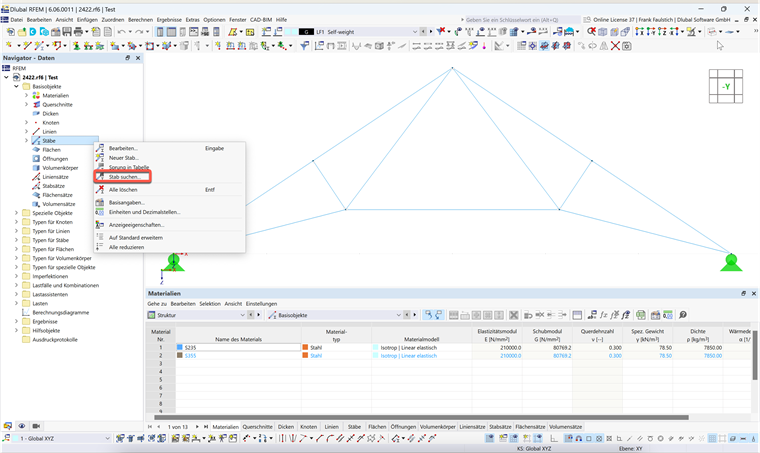
Right-click the "Members" entry in the Data navigator and select "Find Member" from the menu.
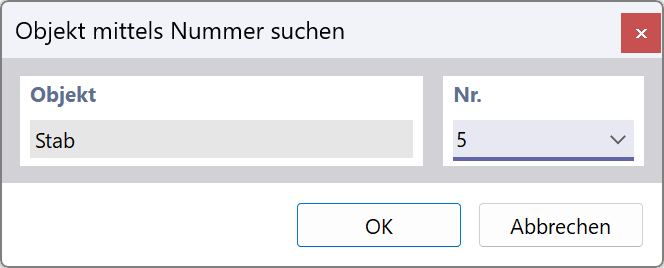
Enter the member number and click OK.
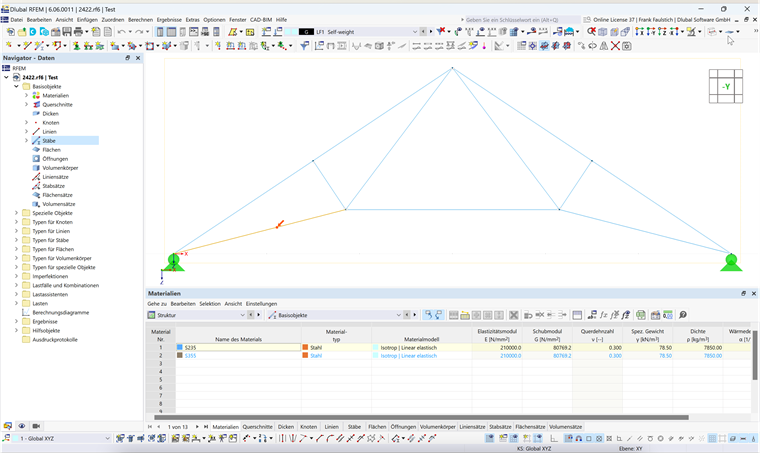
The member is indicated by a red arrow in the graphic.
Sign up for the Dlubal Extranet to get most of the software and have exclusive access to your personal data.
Sign up for the Dlubal Extranet to get most of the software and have exclusive access to your personal data.
Sign up for the Dlubal Extranet to get most of the software and have exclusive access to your personal data.
How do I find a member with a certain number in RFEM 6 / RSTAB 9?
Right-click the "Members" entry in the Data navigator and select "Find Member" from the menu.
Enter the member number and click OK.
The member is indicated by a red arrow in the graphic.
Mr. Faulstich is responsible for the quality assurance of the RFEM program and provides customer support.