Answer:
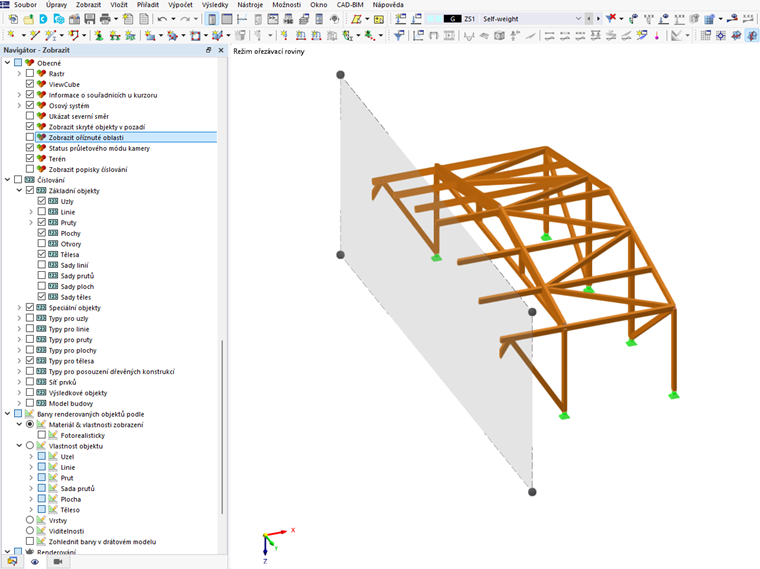
Objects that are behind the clipping plane can be turned off using the “Show clipped areas” checkbox in the “General” tab of the View navigator. The command works for both the clipping plane and the clipping box.
Sign up for the Dlubal Extranet to get most of the software and have exclusive access to your personal data.
Sign up for the Dlubal Extranet to get most of the software and have exclusive access to your personal data.
Sign up for the Dlubal Extranet to get most of the software and have exclusive access to your personal data.
I am using a cropping box, but I do not want to display objects outside the box. This would make the model clearer. How can I set this up?
Objects that are behind the clipping plane can be turned off using the “Show clipped areas” checkbox in the “General” tab of the View navigator. The command works for both the clipping plane and the clipping box.
Ing. Martinec takes care of customer service and student licenses in the Czech office.