Question:
How can I modify the lamella thickness for a glulam section in RFEM 6?
Answer:
First, the Timber Design add-on must be activated in the Base Data.
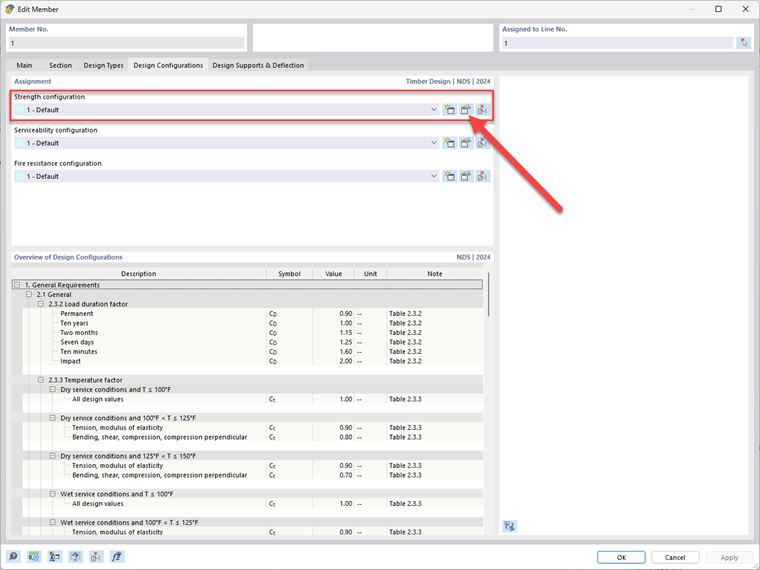
Once you have created the glulam material and section, go to the Design Configurations tab and edit or create new Strength Configuration settings.
► Image | User-Defined Material
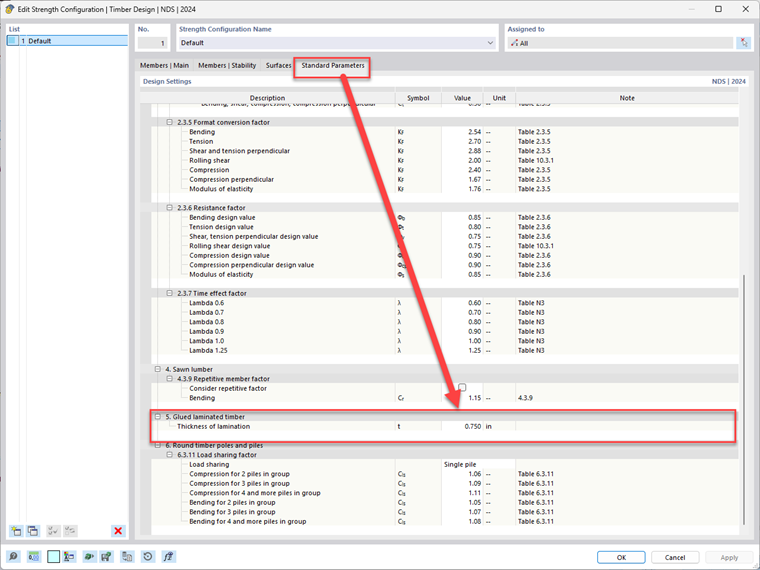
Then, go to the Standard Parameters tab on the far right. Scroll down to the "Glued-Laminated Timber" section. This is where you can adjust the lamella or the "Thickness of Lamination".
► Image | Thickness of Lamination