


To view animations of the excitations during a Time History Analysis:
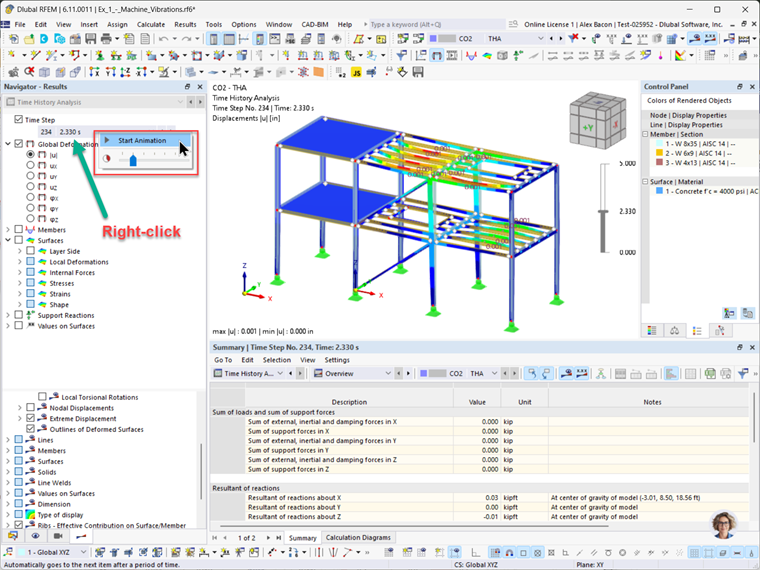
1. Go to the Results of your Time History Analysis.
2. Enable the option for Time Steps.
3. Right-click on the Time Steps drop-down menu.
4. Use the slider to adjust the playback speed:
- Move it to the right for slower playback.
- Move it to the left for faster playback.
5. Click on Animation to start the visualization.
(Optional) Before starting the animation, you can start a video file under the Tools menu. This will allow you to automatically save the animation as a video recording.