Answer:
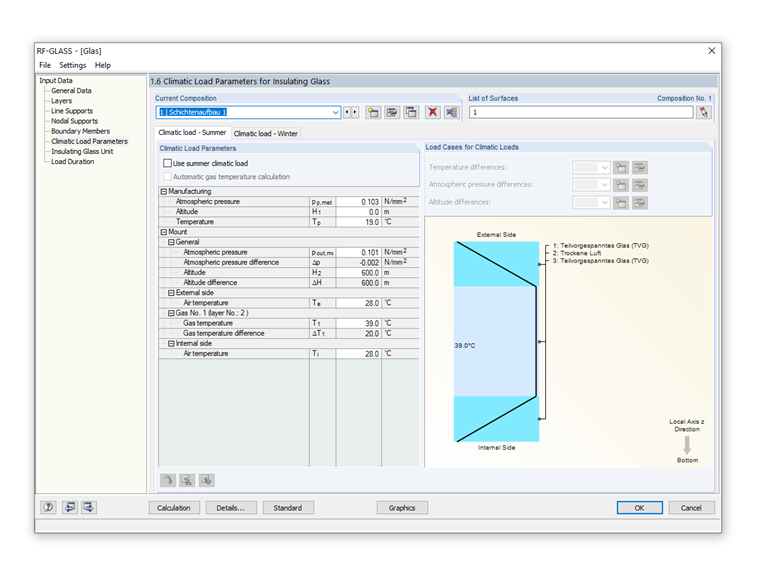
In RF‑GLASS, the climatic loads are displayed in Window 1.6. Here, you can deactivate the "Use" check box for individual climatic loads to exclude them from the calculation.
Sign up for the Dlubal Extranet to get most of the software and have exclusive access to your personal data.
Sign up for the Dlubal Extranet to get most of the software and have exclusive access to your personal data.
Sign up for the Dlubal Extranet to get most of the software and have exclusive access to your personal data.
In RF‑GLASS, the climatic loads are displayed in Window 1.6. Here, you can deactivate the "Use" check box for individual climatic loads to exclude them from the calculation.
Mr. Baumgärtel provides technical support for Dlubal Software customers.