635x
004273
2019-12-09

Optimizing Page Layout in Printout Report

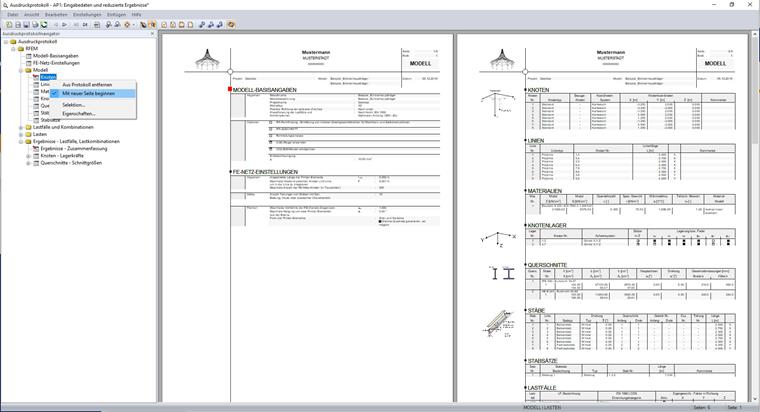
I noticed that some tables in the printout report are only displayed on one side, and thus there are empty areas. Is it possible to change this?


Answer:

In the navigator of the printout report, some chapters are marked with a red pin. This chapter starts on a new page.

If you remove the pin, you will not get a blank space on your sheet; the chapters will be moved together.

Author

Sandy provides support in Customer Support for technical issues related to the software. She reliably familiarizes herself with new topics and helps develop clearly structured solutions.

References


;