Answer:
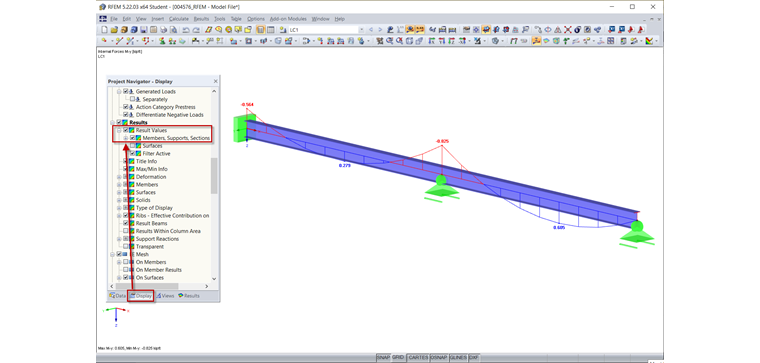
There are two ways to display result values:
- Click the "Show Result Values" button in the toolbar (see Image 01).
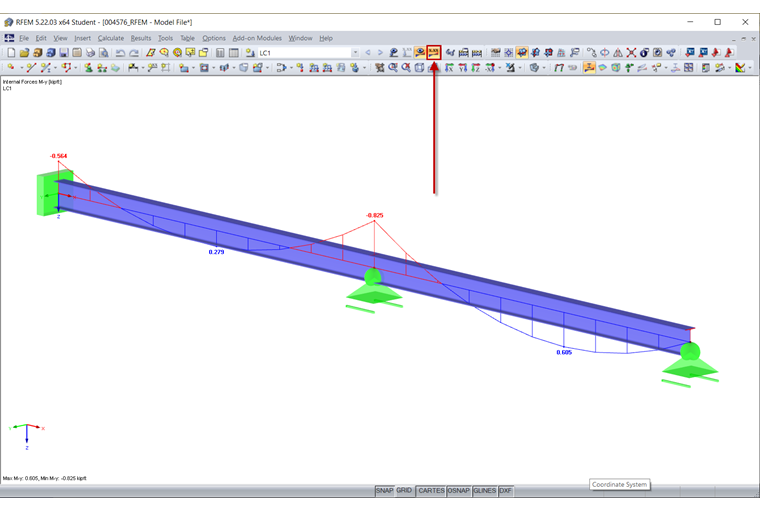
- Activate the result values in the Display navigator under "Results" (see Image 02).
Sign up for the Dlubal Extranet to get most of the software and have exclusive access to your personal data.
Sign up for the Dlubal Extranet to get most of the software and have exclusive access to your personal data.
Sign up for the Dlubal Extranet to get most of the software and have exclusive access to your personal data.
The results of my model are available and displayed graphically, but without result values. How can I display the result values?
There are two ways to display result values:
Frank is responsible for quality assurance in the RFEM program and also assists with customer support. He oversees technical design processes and contributes to the stability and reliability of the software.