Answer:
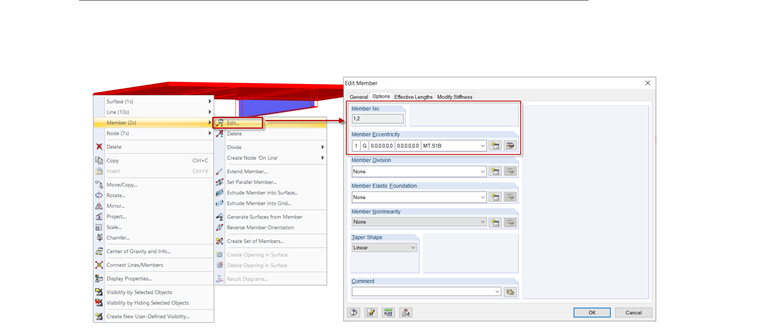
This can be done by means of multiselection and the shortcut menu:
- Select the corresponding members.
- Right-click the selection and click Edit Member; see Image 01.
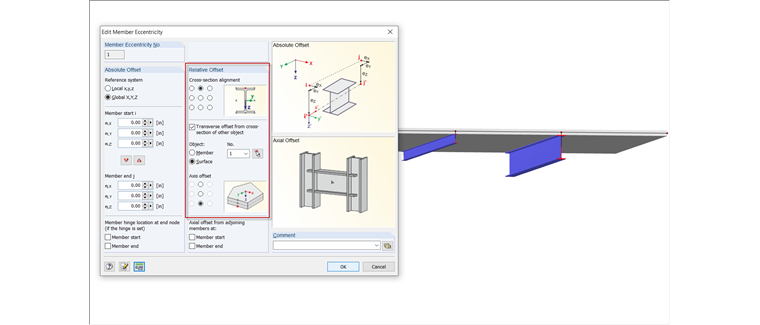
- Assign the eccentricity; see Image 02.
Sign up for the Dlubal Extranet to get most of the software and have exclusive access to your personal data.
Sign up for the Dlubal Extranet to get most of the software and have exclusive access to your personal data.
Sign up for the Dlubal Extranet to get most of the software and have exclusive access to your personal data.
How can I assign a common eccentricity to several different cross-sections at once?
This can be done by means of multiselection and the shortcut menu:
Frank is responsible for quality assurance in the RFEM program and also assists with customer support. He oversees technical design processes and contributes to the stability and reliability of the software.