Answer:
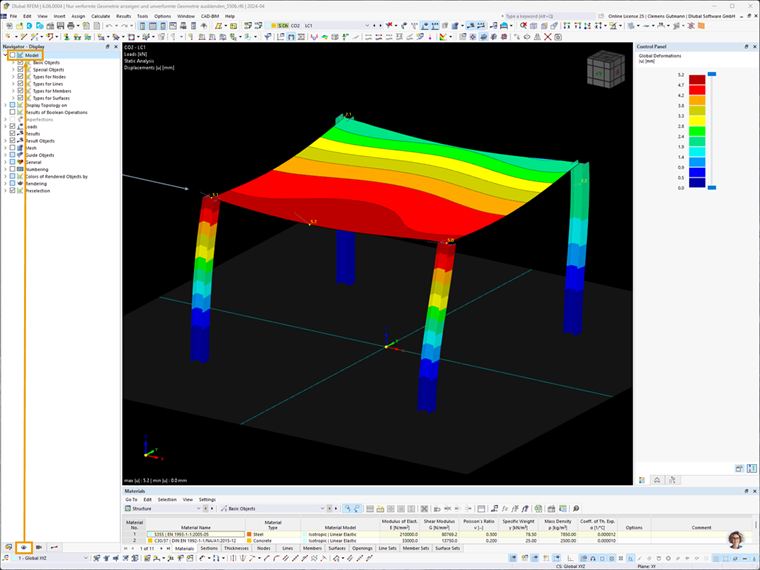
You can hide the undeformed geometry in the Display tab of the navigator by deactivating the Model check box:
Sign up for the Dlubal Extranet to get most of the software and have exclusive access to your personal data.
Sign up for the Dlubal Extranet to get most of the software and have exclusive access to your personal data.
Sign up for the Dlubal Extranet to get most of the software and have exclusive access to your personal data.
You can hide the undeformed geometry in the Display tab of the navigator by deactivating the Model check box:
Clemens is the deputy head of Product Engineering and is responsible for quality assurance in product development. He also draws on his experience in customer support to address complex issues.