Answer:
You can use the HTML export for the printout report export from RFEM 6 / RSTAB 9 to Microsoft Word or Excel. To do this, proceed as follows:
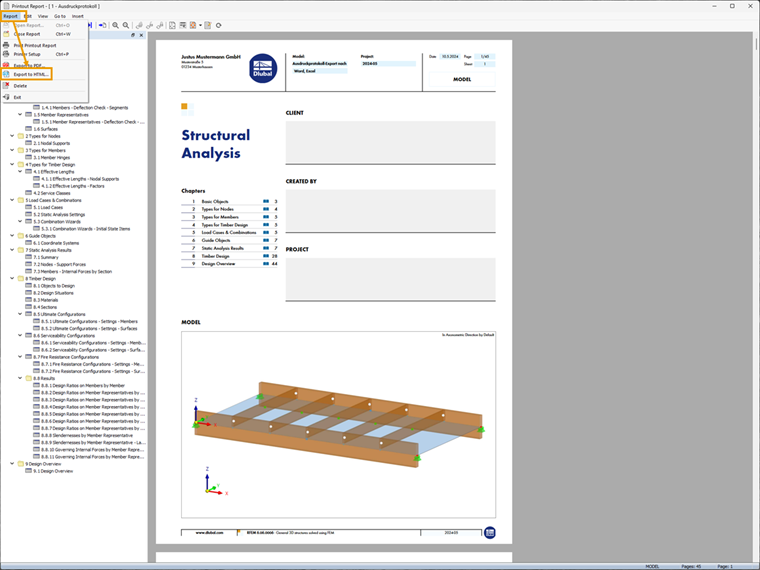
1. Open the printout report in RFEM 6 / RSTAB 9 and export it as HTML.
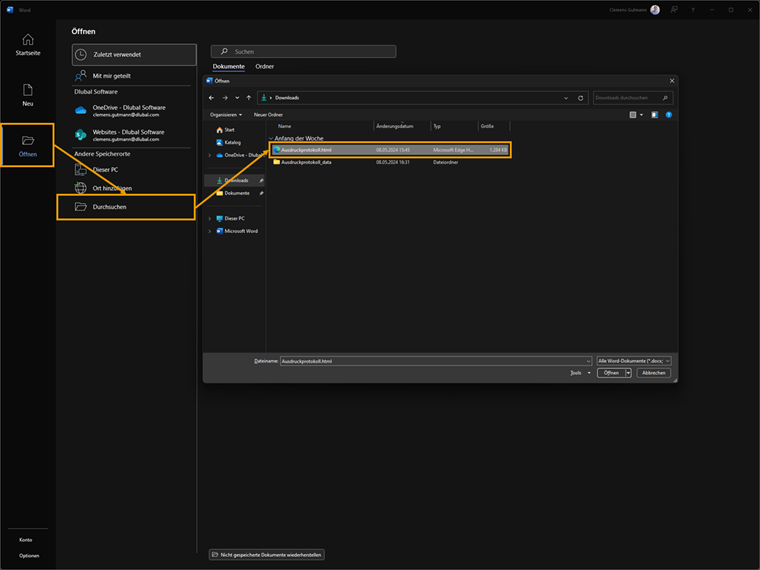
2. Open the HTML in Microsoft Word / Microsoft Excel.
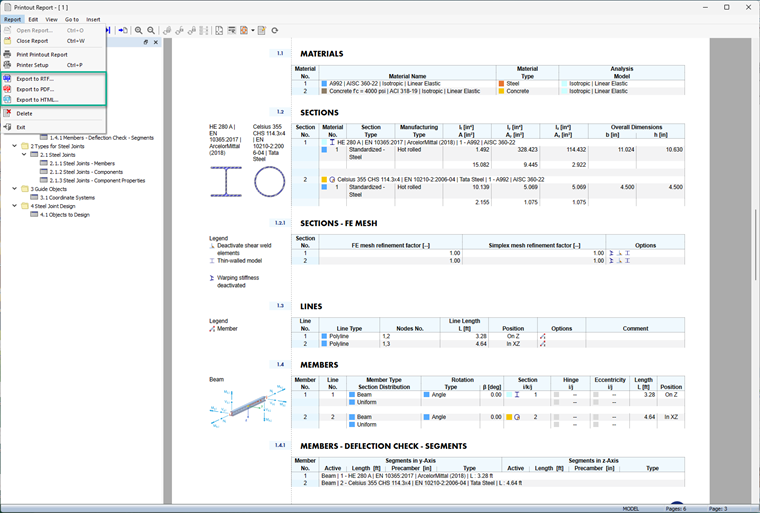
As an alternative, you can also export the printout report as an RTF file: