


Answer:
To apply a uniform load to a part of a member only, select the member. Then, open the "New Member Load" dialog box, for example, by clicking the
 button in the toolbar.
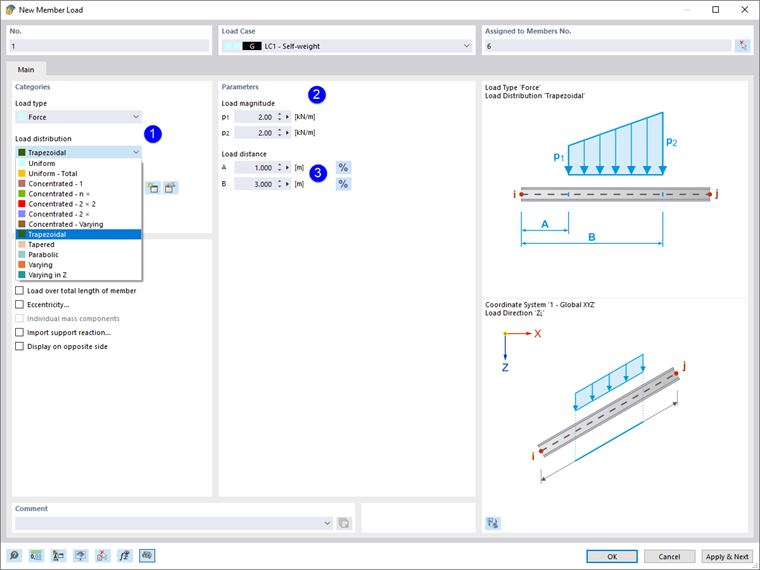
- Select the Trapezoidal load distribution type in the list.
- Enter the load magnitudes p1 and p2. In the case of a constant load, enter the same values.
- Define the load distance according to the dialog graphic. The distances A and B refer to the member start.