


Answer:
In the design add-ons, the cross-section class is determined automatically for all members and load cases. However, it is also possible to specify a user-defined cross-section class for the steel design – for example, if local buckling is excluded by the design. To do this, proceed as follows:
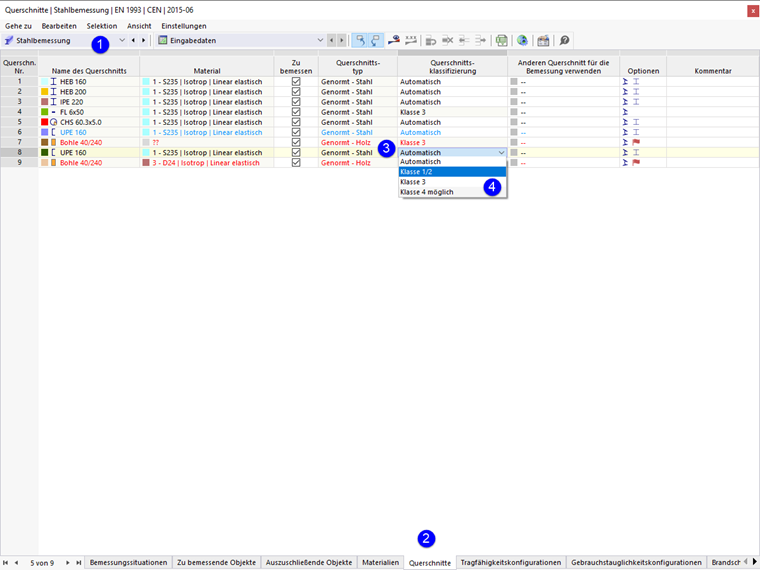
- Select the Steel Design category in the table.
- Go to the Sections table.
- In the Cross-Section Classification column, click in the text box of the relevant cross-section to open the list.
- Select the corresponding Class.
This way, it is also possible to manually classify cross-sections of Class 1 or 2 into Cross-Section Class 3 in order to enforce elastic design.