


Answer:
To show or hide existing surface result adjustments in the model, proceed as follows:
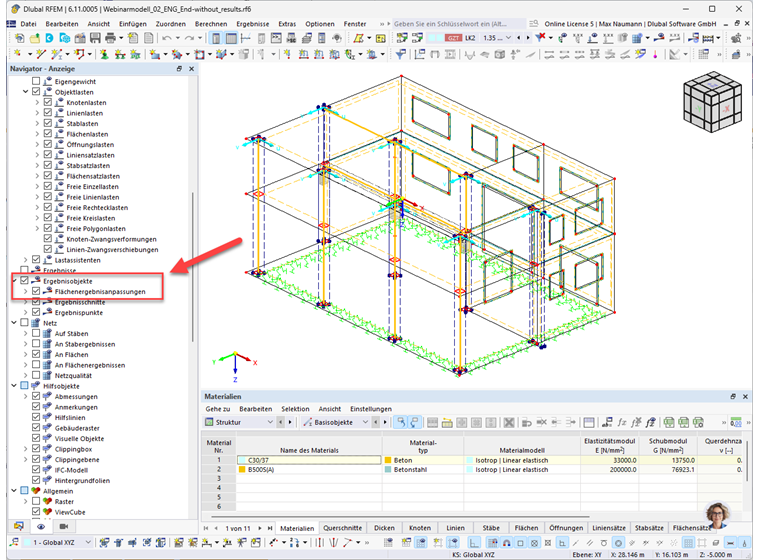
Click on the Display tab at the bottom and then navigate to Result Objects. Expand the list to find the surface result adjustments you are looking for.