Answer:
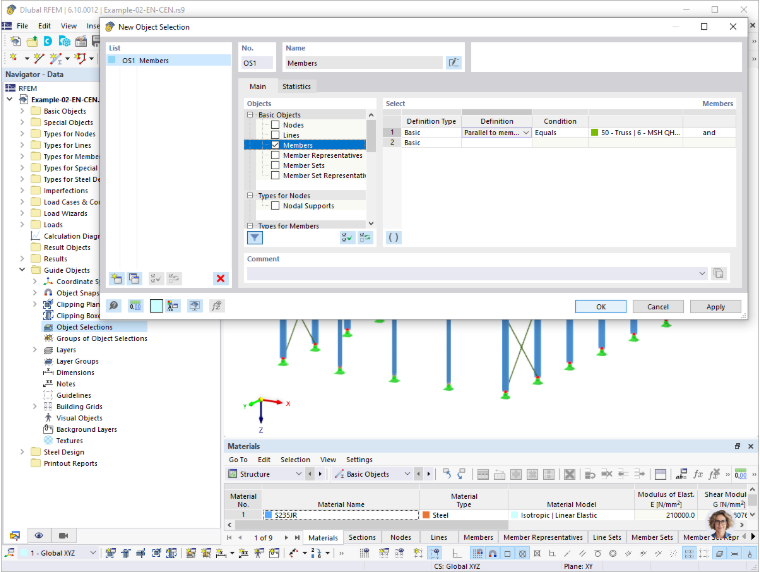
In RFEM 6 and RSTAB 9, you can easily select members that are parallel to each other using the object selection. You can access this using the Navigator – Data → Guide Objects → Object Selection, or the
 icon in the CAD toolbar.
In the object selection, activate the “Members” check box in the Basic Objects area. Then, select the “Parallel to member” option as the definition type. Next, click on the member to which all parallel members are to be selected.