73x
005734
2025-09-11

Dividing Surface with Selected Section Lines

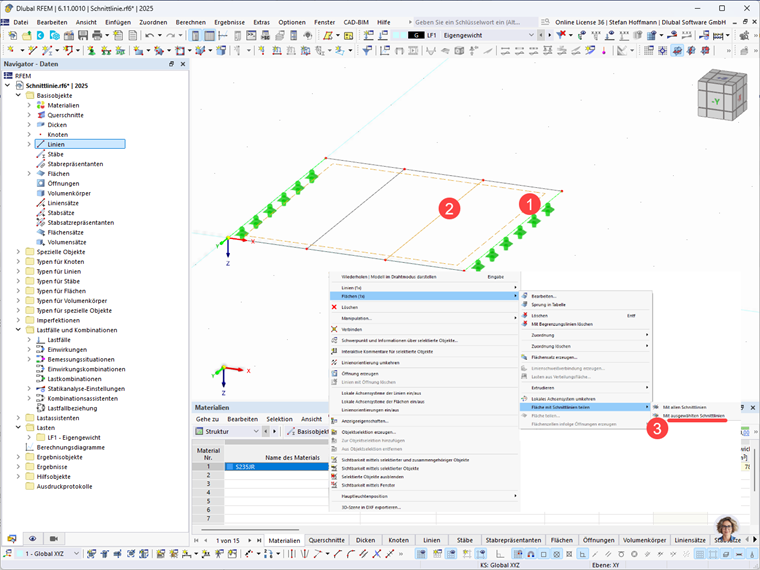
I would like to divide my surface with selected section lines. However, the function is grayed out. What can I do?


Answer:

To use this function, select the desired surface and add the desired lines to the selection by holding down the CTRL key. Once the surface and lines have been selected, the function to divide the surface with the (previously) selected section lines is also available.

Author

Mr. Hoffmann provides technical support to Dlubal Software customers and is responsible for the coordination of all technical inquiries and activities.


;