


Answer:
If no connection to the web server can be established, please check the following settings:
- Is the “Dlubal API | gRPC” option enabled in the “API Service & Web Service” options? If not, please enable it.
- Please check in the Extranet whether you have a valid API key.
- The versions of the API and the Dlubal app must be compatible, i.e. API version 2.12.2 works with RFEM 6.12.2, etc.
- Are the port settings correct? If you are using a Dlubal app, port 9000 is used by default. If you open a second Dlubal app, the API automatically increments and uses port 9001. You can see which port is used by the API in the settings of the 'Dlubal API | gRPC'.
For example, if you only open one Dlubal app in API and want to use port 9001, you must also set this in the options under “gRPC server initial port” in the Dlubal app.
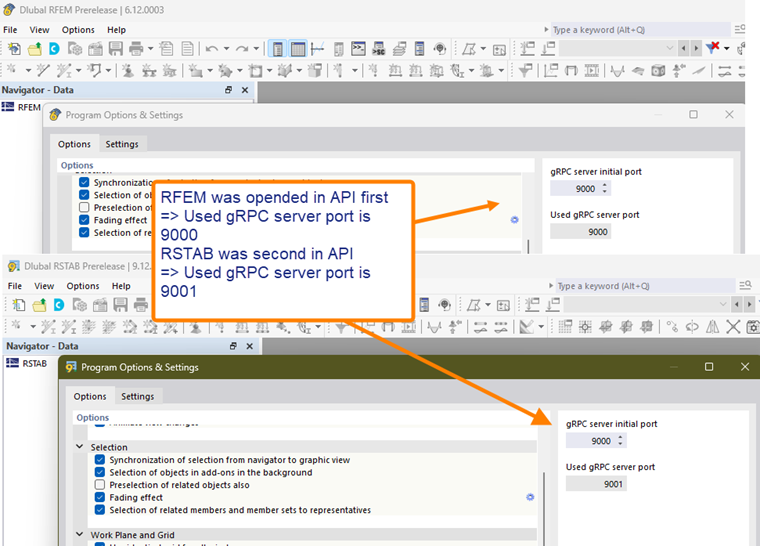
More information can be found in the documentation: